Прямые ссылки, отсутствие дублирующейся логики загрузки
YouTube и Bilibili повторно используют текущую возможность загрузки аудио. Xiaoyuzhou добавляет анализатор общедоступных эпизодов и передает тот же конвейер сводных данных.
Online TikTok summarizer. Turn public short videos into notes and takeaways, including clips without captions. Paste a public link — an active subscription is required.
Inside the workspace
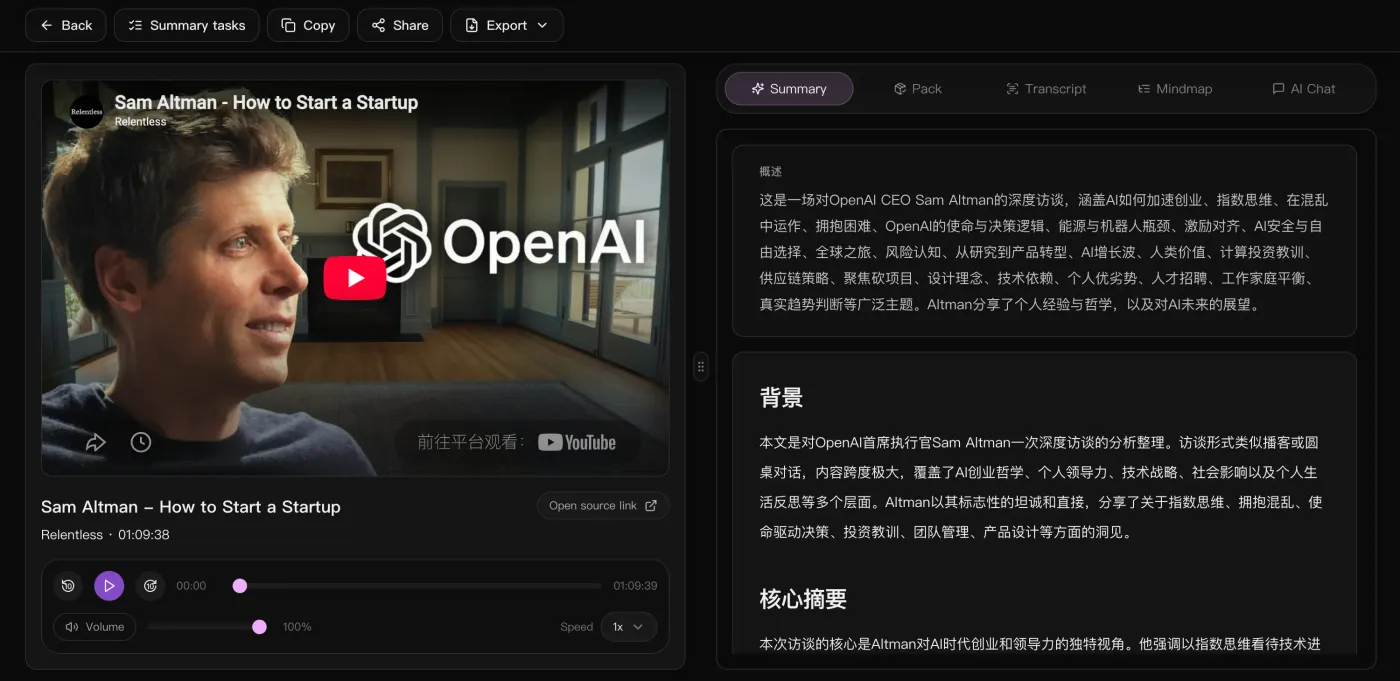
The video on the left to check anything against, the overview, background and key takeaways on the right — with the full text, the mindmap and an AI chat one tab away.
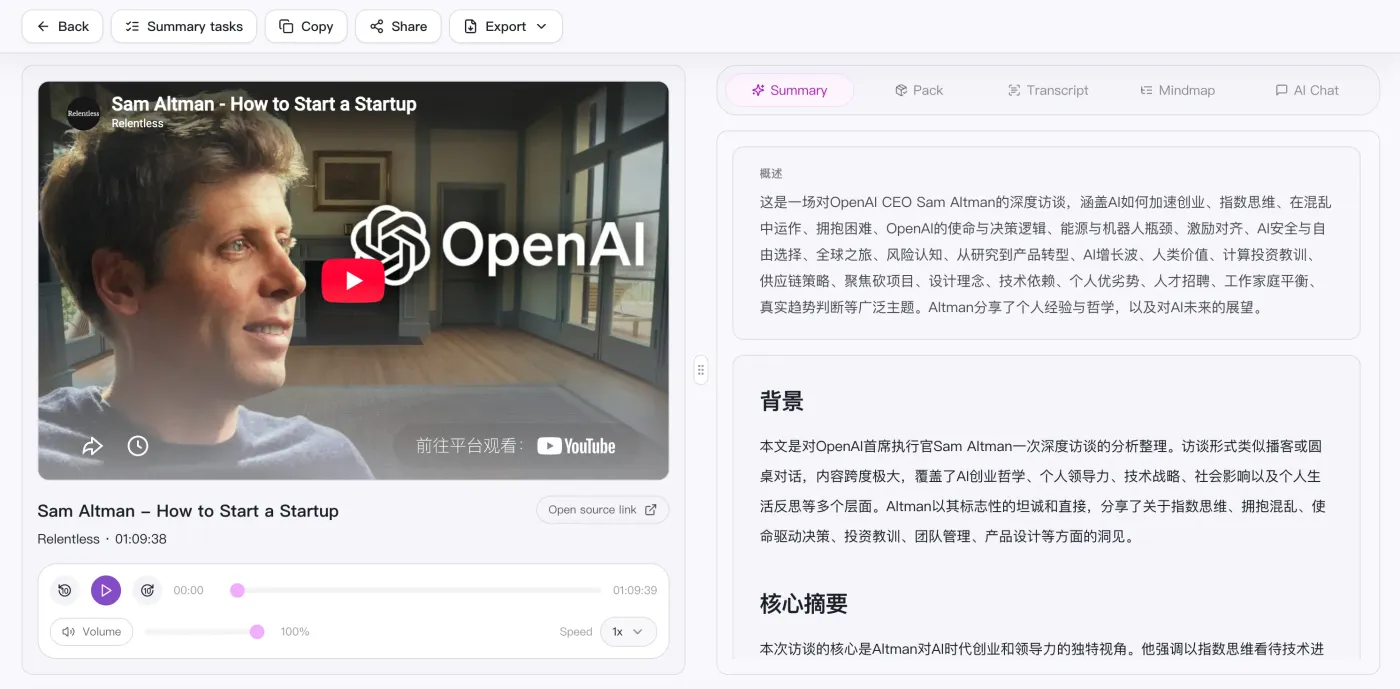
Для курсов, подкастов и записей встреч страница результата дает ключевые моменты по главам, mindmap и материалы для экспорта, которые удобно проверить и отправить дальше.
YouTube и Bilibili повторно используют текущую возможность загрузки аудио. Xiaoyuzhou добавляет анализатор общедоступных эпизодов и передает тот же конвейер сводных данных.
Сохраняйте полную стенограмму на исходном языке с удобными метками времени вместо общего сводного объекта.
Создавайте заголовок, обзор, маркеры глав, ключевые слова и элементы действий для изучения, операций и последующих мер по совещанию.
Пользовательский интерфейс отображает Mermaid SVG и возвращается к древовидному представлению в случае сбоя рендеринга, поэтому страница результатов остается пригодной для использования.
Review the result as study notes, a work brief or an action list. Export Markdown to keep the notes in your preferred editor.
Paste a public link or upload a local video / audio file.
Auto-transcribe and generate an overview, chapters, and mindmap.
Keep chatting with AI about the content to dig into points and actions.
Take the summary, mindmap, and action list to reuse anywhere.
Supported platforms
Side by side
Compare input methods and outputs for video notes, recordings, and meetings.
| What matters | SnapVee | ScreenApp | Notta | NoteGPT |
|---|---|---|---|---|
| Getting started | Paste a public link or upload a file in the browser | Paste a video URL, upload a file, or record | Join a meeting or upload a recording | Paste a YouTube link online or use the extension |
| Best input | Long videos, podcasts and local audio or video | Public video links, uploaded files, and recordings | Live meetings and voice notes | YouTube videos above all |
| What you get | Overview, timestamped chapters, key points, Mermaid mindmap, Markdown | Transcripts, summaries, and highlights | Transcript and meeting minutes | Transcripts, summaries, and mindmaps |
| Digging deeper | Keep asking the AI about the full text, switch output language | Ask about the recording | Search across past meetings | Ask about the video |
| After the summary | Subtitles, convert, breakdown, social formatting — same place | Share the recording back | Sync notes to team tools | Export the note |
ScreenApp and NoteGPT input options checked against their official pages on September 12, 2026. This is a workflow overview, not an exhaustive feature or plan comparison.ScreenAppNoteGPT
You have the notes. Now what?
Same account, same source — export subtitles, break down why it worked, convert the file, lay it out for social. No tool switching.
Can't find an answer? Reach out to our support team anytime.
Начните с общедоступной ссылки. В настоящее время основное внимание уделяется тому, чтобы в первую очередь обеспечить четкость сводки, чтения и экспорта.