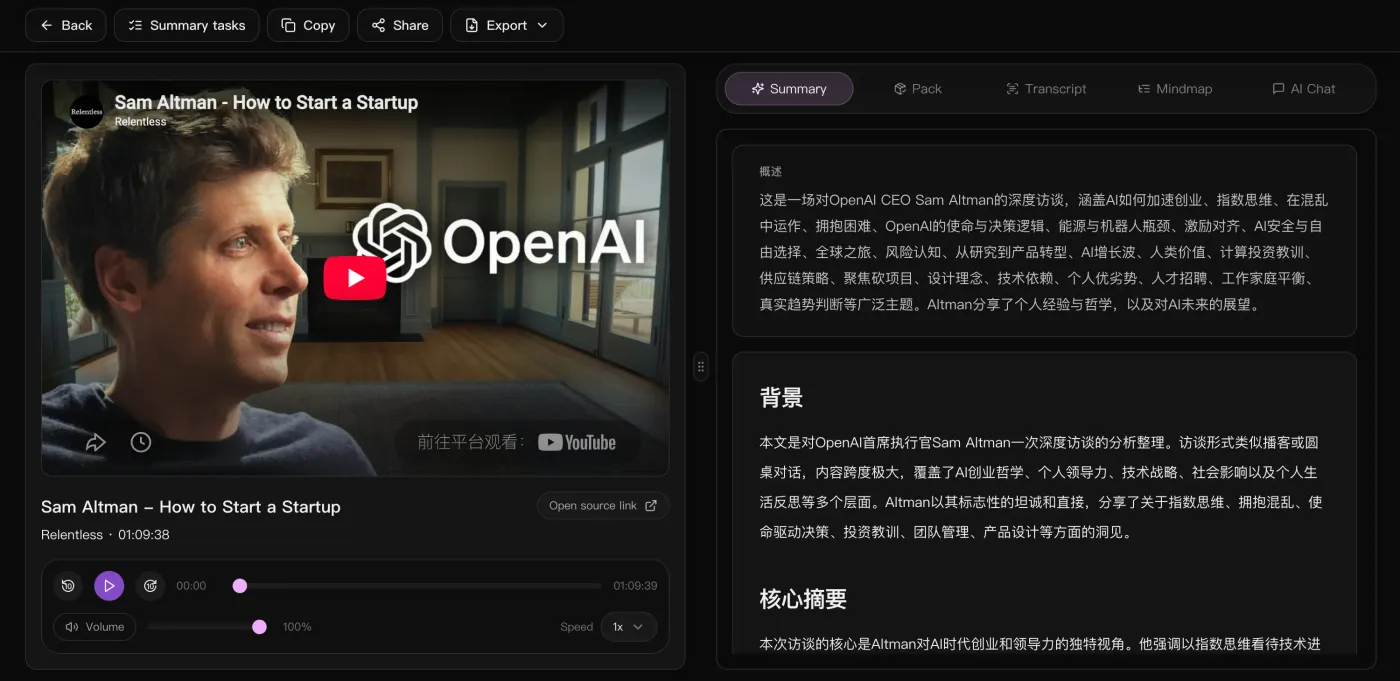
Paste a link — no download needed
Paste public YouTube videos or livestream replays directly; no need to download the file or find a caption track first.
Paste a YouTube link and get a tidy Markdown file with timestamped chapter headings,keywords, and a Mermaid mindmap — ready to paste into Notion, Obsidian, or Logseq.
Inside the workspace
The video on the left to check anything against, the overview, background and key takeaways on the right — with the full text, the mindmap and an AI chat one tab away.
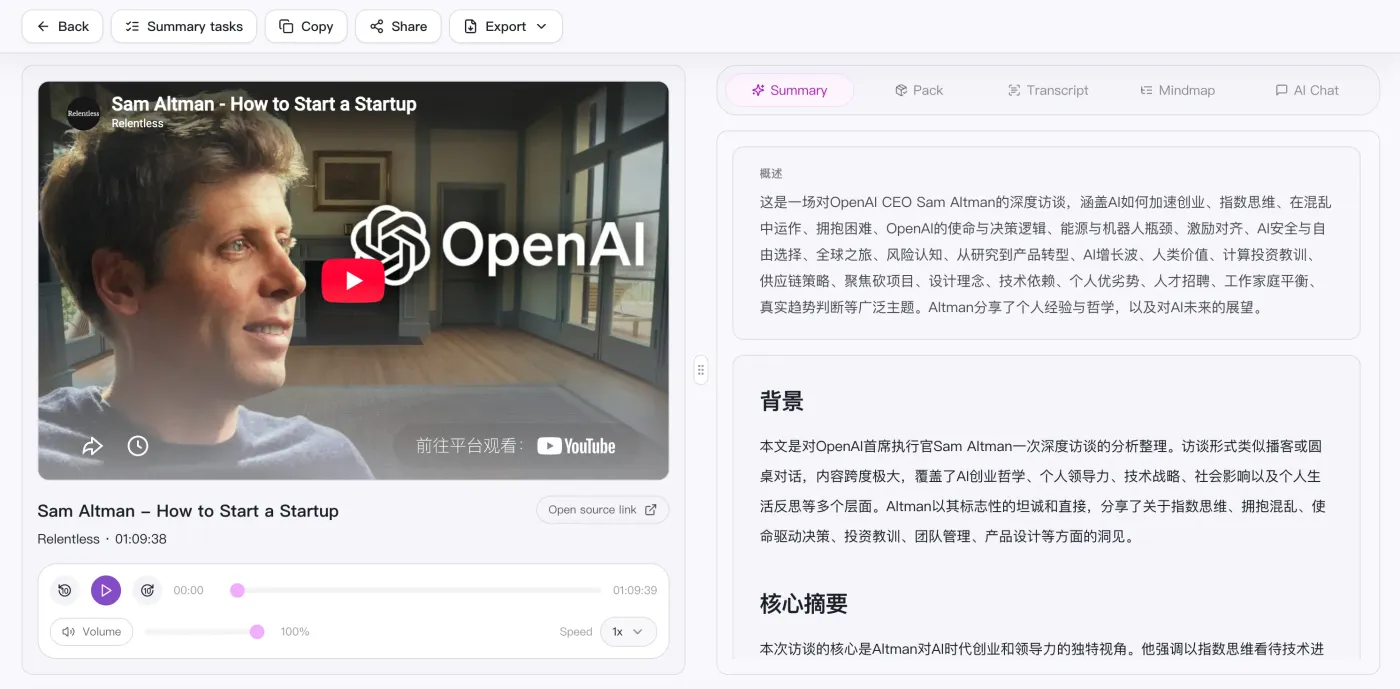
Auto-transcribed and structured by chapter, the exported .md drops straight into Notion, Obsidian, or Logseq — no manual formatting.
Paste public YouTube videos or livestream replays directly; no need to download the file or find a caption track first.
Transcription is split into chapters, each heading carrying a timestamp — clean multi-level headings in Markdown.
Outputs an overview, chapter takeaways, keywords, and action items, all as tidy Markdown paragraphs.
The mindmap is written as a Mermaid code block, rendering directly in Notion or Obsidian.
After processing, the result page can turn a long video into study notes, a work brief, and an action plan.
Paste a public link or upload a local video / audio file.
Auto-transcribe and generate an overview, chapters, and mindmap.
Keep chatting with AI about the content to dig into points and actions.
Take the summary, mindmap, and action list to reuse anywhere.
Supported platforms
Side by side
How a summarizer built around public links compares with a screen recorder (ScreenApp), a meeting transcriber (Notta) and a YouTube note extension (NoteGPT).
| What matters | SnapVee | ScreenApp | Notta | NoteGPT |
|---|---|---|---|---|
| Getting started | Paste a public link or upload a file in the browser | Record or upload first, then analyze | Join a meeting or upload a recording | Open a YouTube page with the extension |
| Best input | Long videos, podcasts and local audio or video | Screens and calls you recorded | Live meetings and voice notes | YouTube videos above all |
| What you get | Overview, timestamped chapters, key points, Mermaid mindmap, Markdown | Recording summary and highlights | Transcript and meeting minutes | Summary and key points |
| Digging deeper | Keep asking the AI about the full text, switch output language | Ask about the recording | Search across past meetings | Ask about the video |
| After the summary | Subtitles, convert, breakdown, social formatting — same place | Share the recording back | Sync notes to team tools | Export the note |
Compared against each product's publicly observable behaviour, checked August 2026. If screen recording itself is the job, ScreenApp is the better fit, and for live meeting minutes and team collaboration Notta remains the natural pick.
Read the full comparison
You have the notes. Now what?
Same account, same source — export subtitles, break down why it worked, convert the file, lay it out for social. No tool switching.
“Organizing video notes by hand used to take half an hour; now I export Markdown and paste it in.”

Adrian Fontaine
Knowledge blogger · Obsidian power user
“Lecture videos become .md with timestamped headings that link straight into my vault.”

Julian Weber
Researcher · Literature management
“I convert long videos to Markdown, then rewrite them into a newsletter — no more transcribing by ear.”

Maya Lindqvist
Newsletter author
“Chapter headings come pre-split; imported into Logseq it's a ready-made study outline.”

Ryan Cooper
Student · Logseq notes
“I turn launch videos into Markdown drafts, and the Mermaid diagrams render as-is.”

Thomas Wright
Technical writing · Docs
“One video becomes structured .md — enough source material for several articles.”

Nina Albrecht
Freelance writer · Repurposing
Can't find an answer? Reach out to our support team anytime.
GEO fact guides
These guides turn product capabilities, allowances, and usage boundaries into answers you can verify against the relevant tool pages.
Turn public YouTube links into chapters, notes, follow-up chat, and mindmaps.
Review source and translated lines together, fix timing, save, and export.
Use local saving, queues, and file organization for repeated downloads.
Start with a public link. The current focus is making the summary, reading, and export flow solid before anything else.