YouTube Downloads: Quality Options and Plan Limits
Save public YouTube videos with the right quality, audio, file size, subtitles, 2-hour video handling, and device workflow.
The hard part of downloading YouTube videos is rarely the copy-and-paste step. The real issues are quality, audio, subtitles, long-video stability, and where the file lands on each device.
SnapVee is best for public YouTube videos you are allowed to save for personal reference, study, presentations, or authorized archiving. It supports public YouTube downloads up to 4K and up to 2 hours when the source video provides that stream. It is not for bypassing paid, private, regional, or age-restricted access.
720p / 1080p / 4K
Free downloads support up to 720p and videos up to 1 hour. 1080p and 4K require a paid plan and an available source stream; paid plans support videos up to 2 hours. Check pricing for your download allowance.
Download workflow
- Open the public YouTube video page.
- Use Share and copy the full video link.
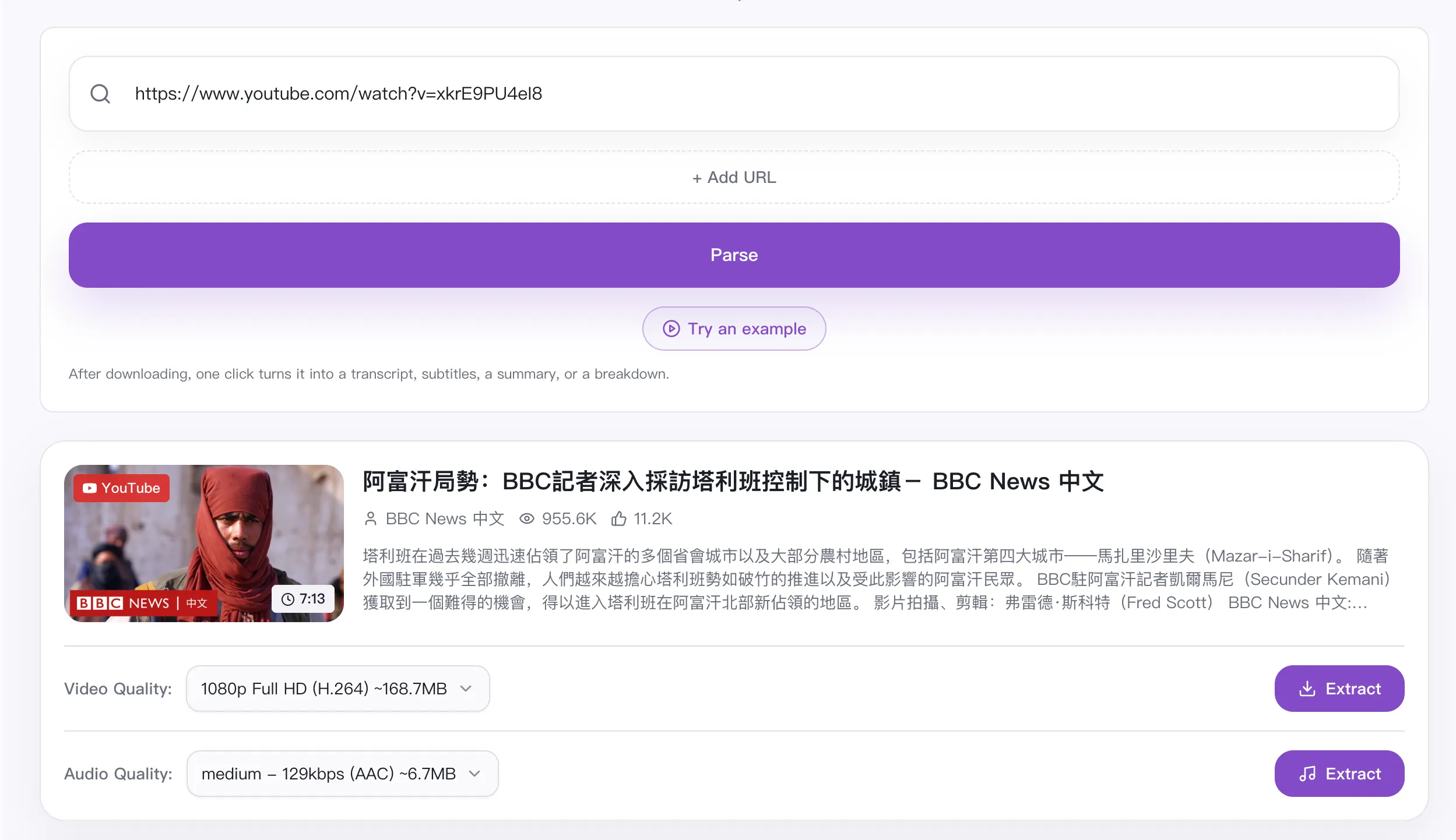
- Open SnapVee YouTube Downloader.
- Paste the link and wait for parsing.
- Choose 4K, 1080p, 720p, or 480p based on the use case and the qualities available from the source video.
- Play the first seconds after downloading to confirm video, audio, and format.
Optimization tips
Do not choose 4K by default. Lectures, interviews, podcasts, and screen recordings usually work well at 1080p. Use 4K for product demos, games, travel, or other detail-heavy videos only when the source supports it.
If only low quality appears, check the highest quality on YouTube first. The HD stream may still be processing, or the link may require login, region access, or age confirmation.
Troubleshooting
- Link fails: confirm the video is public, available, and not member-only or private.
- Only low quality appears: check whether the source really provides HD or 4K.
- Download stops: retry on a stable network, especially for long videos.
- File is hard to find: check browser Downloads, Files, or Photos.
- Need text instead of video: continue with Video Summary or Subtitle Transcription.
Final note
A useful YouTube download workflow matches quality, audio, file size, and purpose. Confirm public access and rights first, then use summary or subtitle tools when the goal is learning rather than storing a file.
Related guides:
About the author

Jason Jiang
Product and engineering lead
Maintains SnapVee's core product features, ships platform support and product updates, and writes official tutorials and comparison content.