


SnapVee Studio Không gian làm việc nội dung AI dành cho nhà sáng tạo.

Tải video công khai từ YouTube, TikTok, X và Instagram, sau đó phiên âm, tóm tắt, tạo ảnh và video bằng AI, viết văn bản bằng AI, tất cả trong một quy trình. Miễn phí bắt đầu.

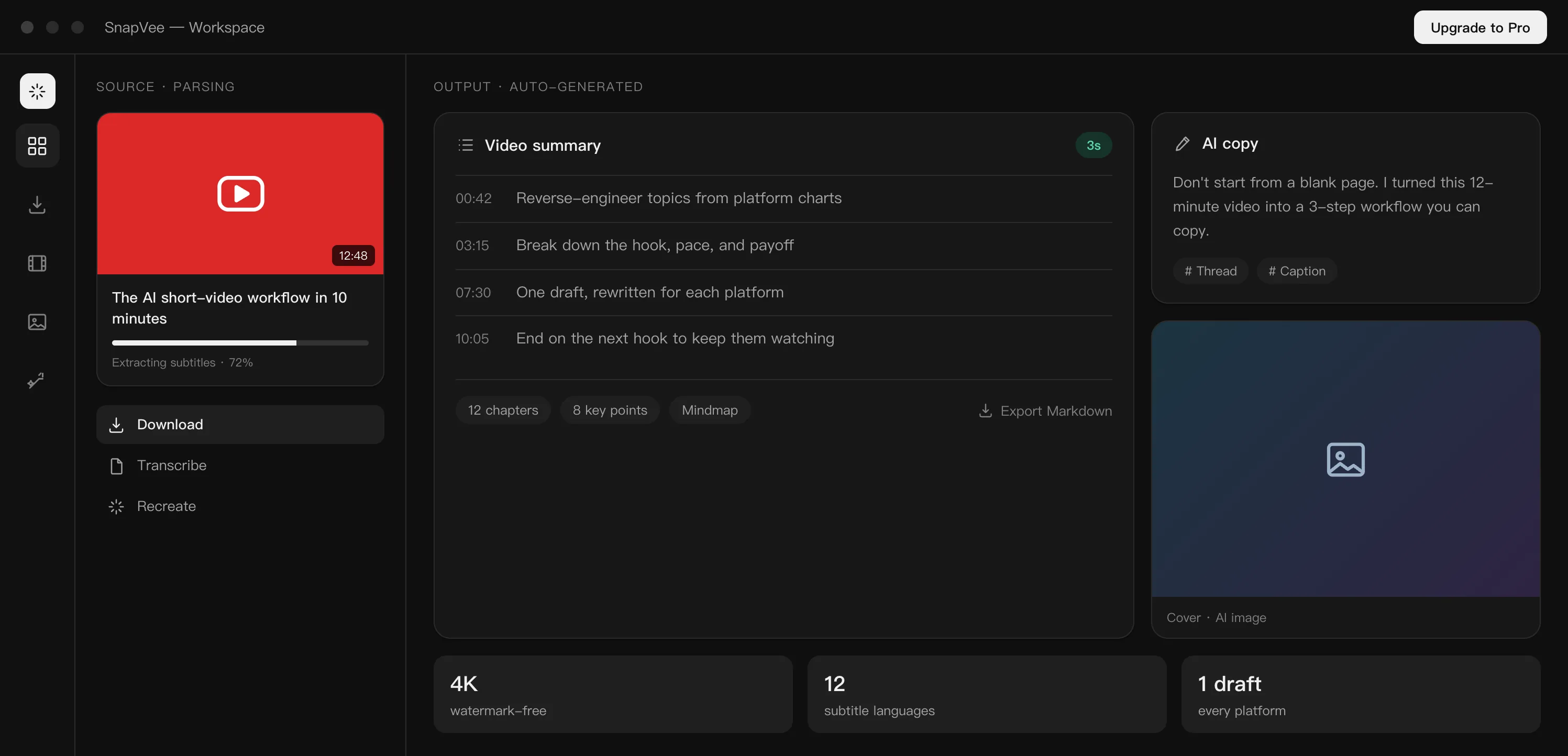
SnapVee Studio workbench
Core Features

Turn today's tools into one creative workflow

From downloading source material to understanding it and generating new output, SnapVee Studio now connects the key steps creators use most.

Download public video or audio
Running
Send to summary / transcription
Processing
Ready for remix
Ready
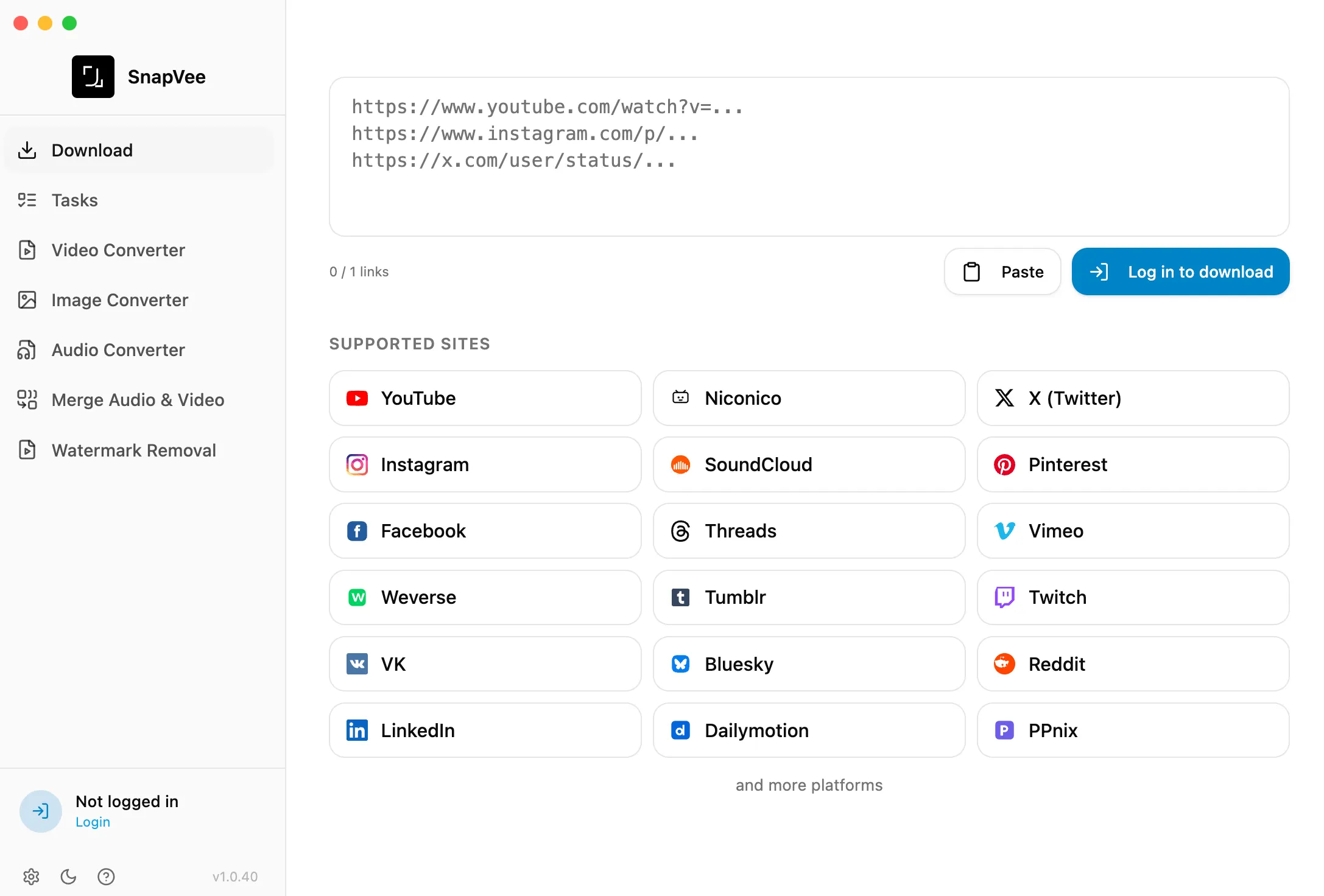
Download

Start by capturing the source material

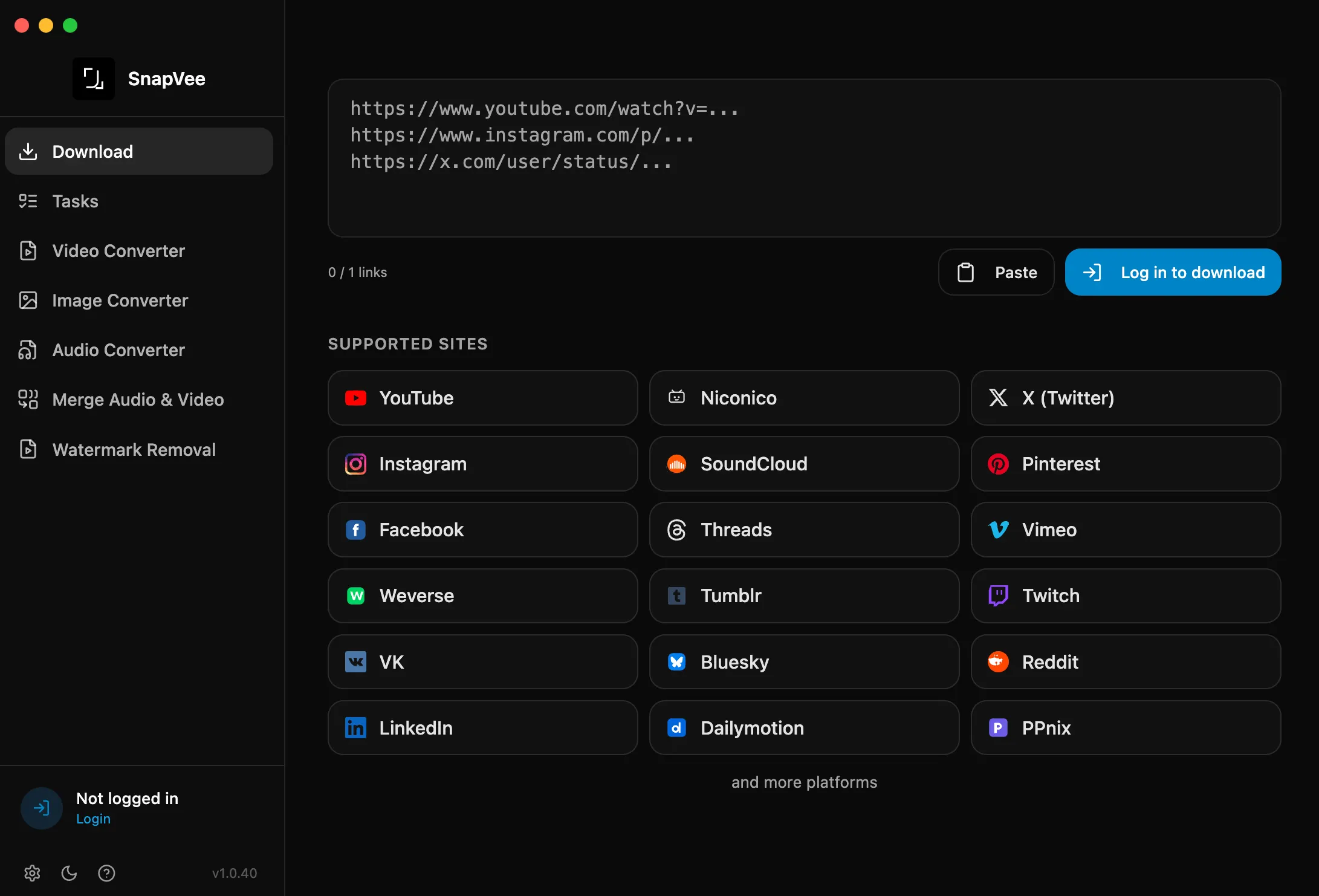
Download video or audio from public links and bring the source into your workflow as the starting point for analysis and remix.

DownloadCapture
Understand

Turn videos into something you can work with

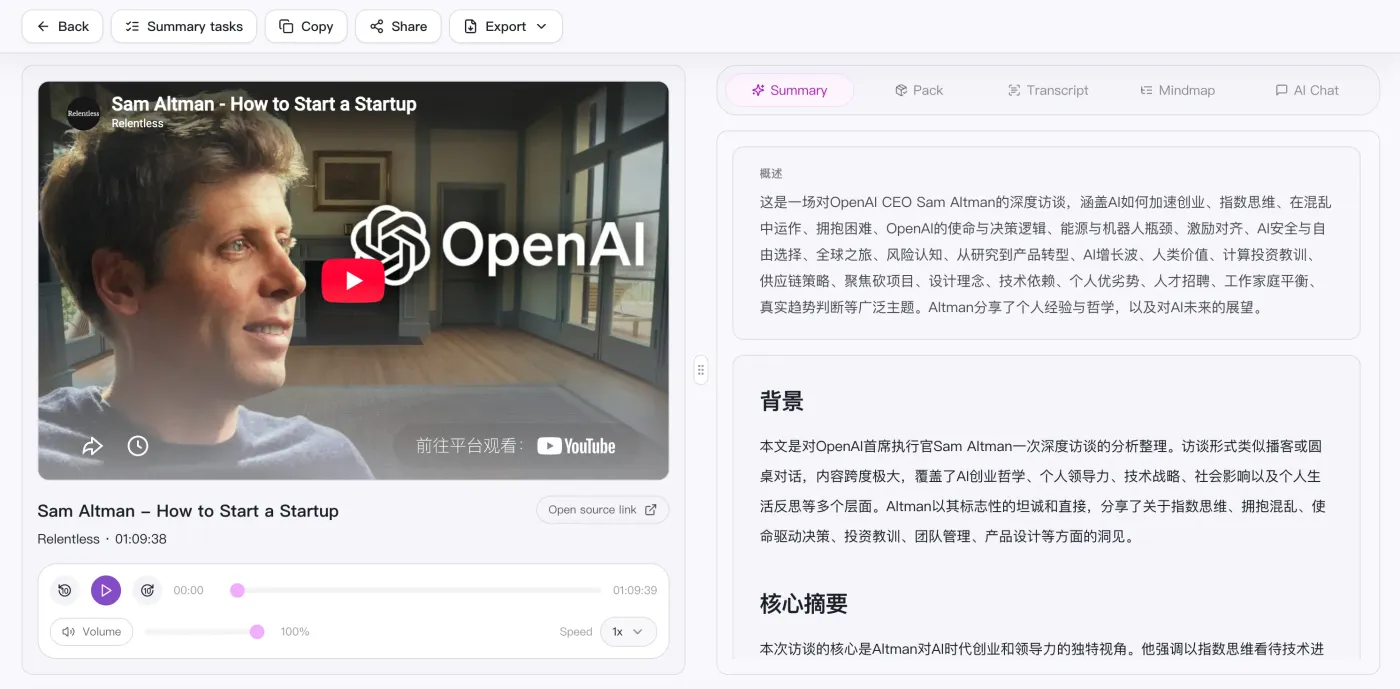
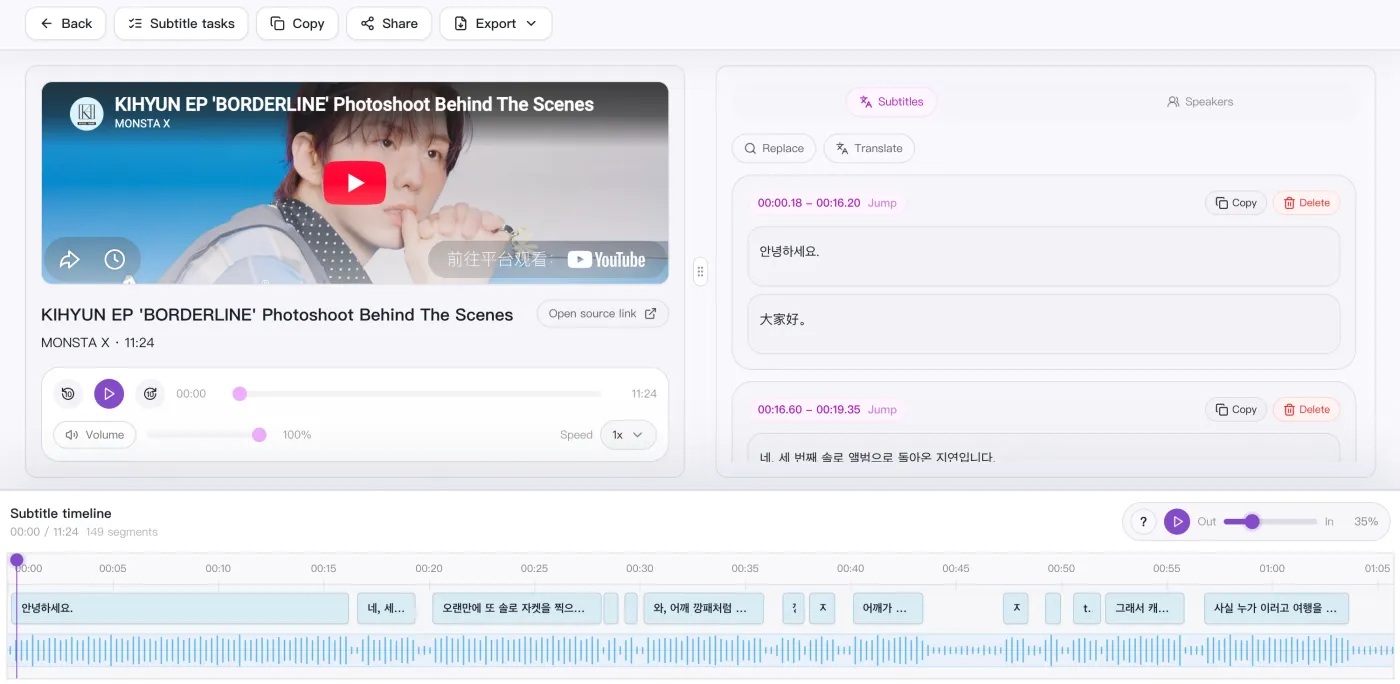
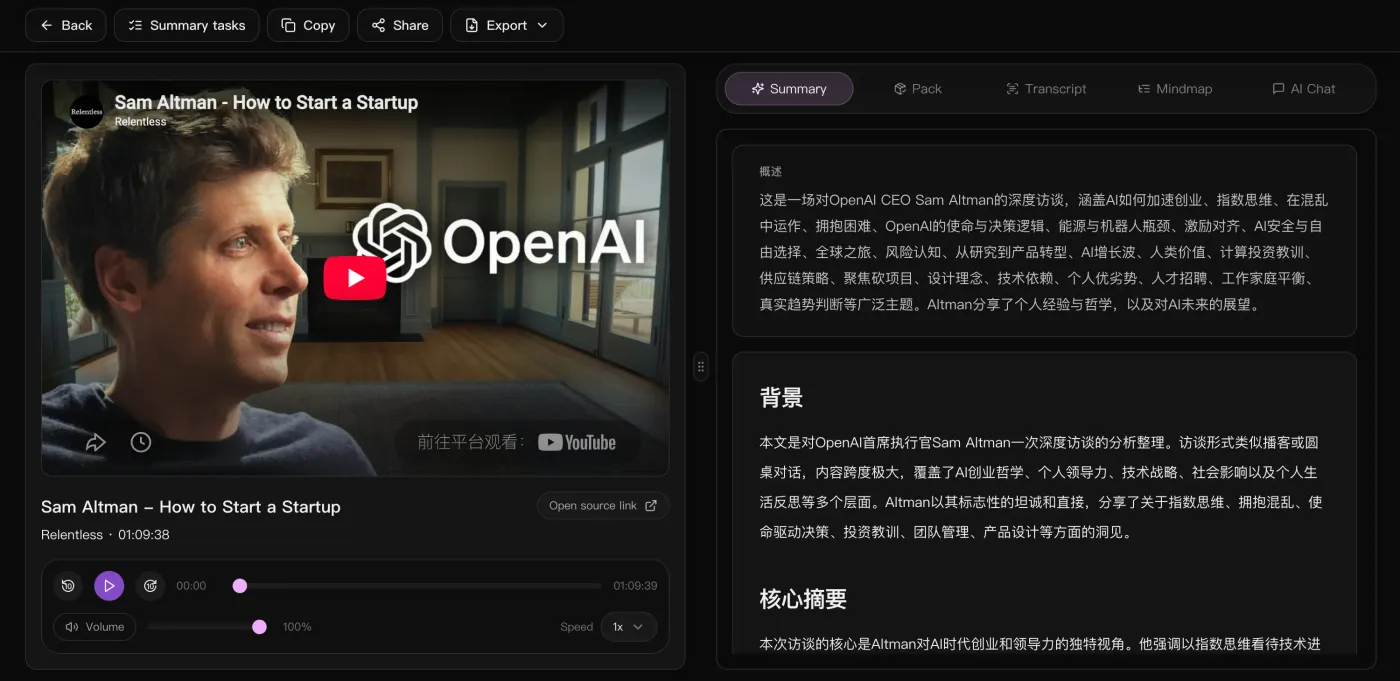
Video summary and subtitle transcription work together to turn long content into chapters, summaries, subtitles, and editable text.

Video SummarySubtitle Transcription
Video Summary
Subtitle Transcription
Chaptering
Key Takeaways
Editable Text
Structured Output
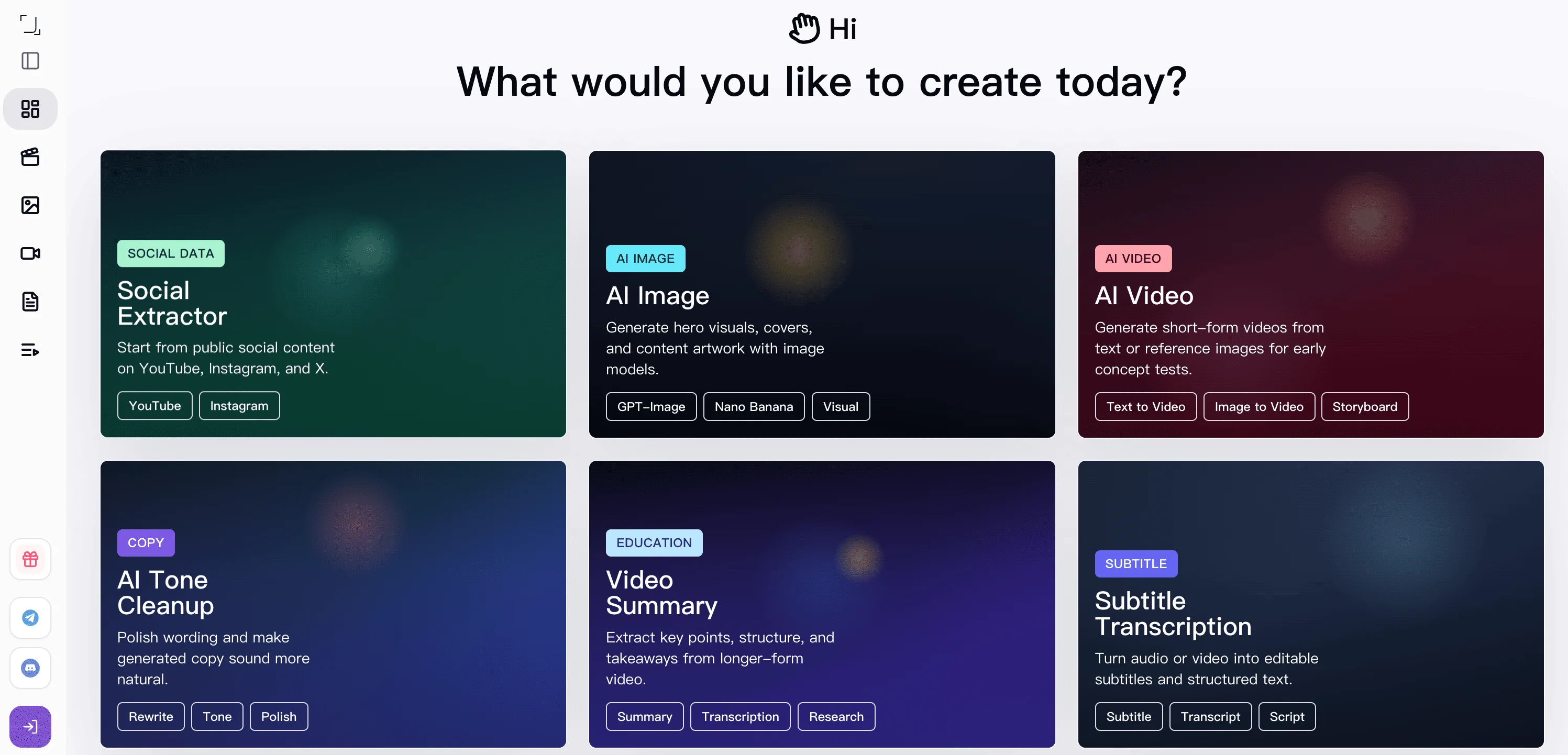
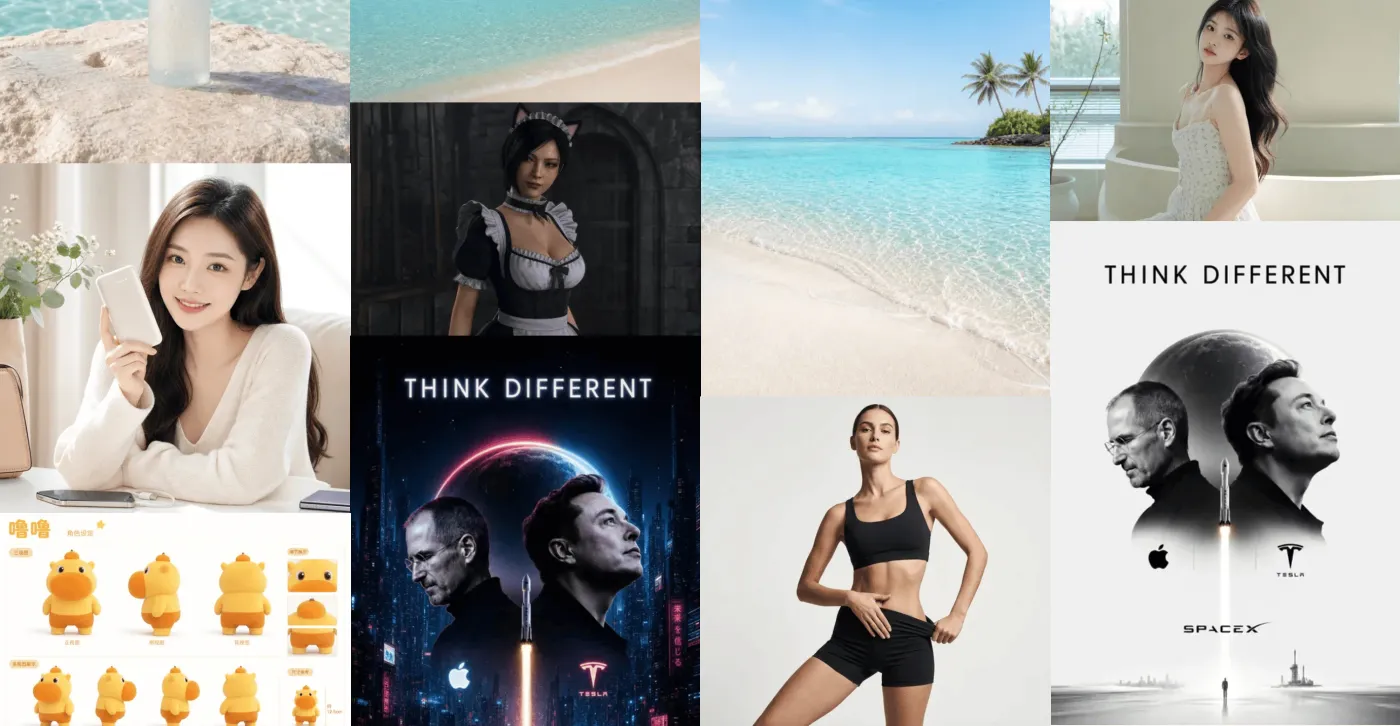
AI Image Generation
AI Video Generation
Creative Expansion
Create

Keep going with new visual and video output

Once the source and understanding are ready, move into AI image generation and AI video generation to build the next expression.

AI ImagesAI Video

What is SnapVee Studio?

SnapVee Studio is an AI content workspace for creators, social media managers, ecommerce teams, and educators. It combines public video downloading, transcription, summarization, AI image and video generation, and AI copywriting in one account, with web and desktop sharing the same account and allowances.

Core capabilities

Supported platforms
Downloading supports YouTube, TikTok, Instagram, X, Facebook, Threads, Pinterest, and Vimeo; transcription and summary support YouTube, TikTok, and Apple Podcasts, plus local uploads.
Free to start
New users get a free trial with AI credits and download points, and Pro refreshes monthly download allowance and credits. Only process content you are allowed to save.
Đối tượng phù hợp

Được xây dựng cho những người dùng SnapVee Studio

Nhà sáng tạo, nhà tiếp thị, nhà giáo dục và người dùng thông thường đều có thể lấy nội dung media cần thiết mà không tốn thêm công sức.

Nhà sáng tạo nội dung

Tải video tham khảo và tư liệu gốc chất lượng HD từ hơn 50 nền tảng cho quy trình sáng tạo của bạn.

Nhà tiếp thị mạng xã hội

Thu thập và tái sử dụng nội dung từ nhiều nền tảng một cách nhanh chóng. Tải hàng loạt và hàng đợi ưu tiên giúp bạn đúng tiến độ.

Biên tập viên video

Lấy nguồn HD hoặc 4K kèm tách âm thanh riêng. Hữu ích cho các đoạn tham khảo, B-roll và bản ghi đa ngôn ngữ.

Nhà giáo dục & Sinh viên

Lưu bài giảng, hướng dẫn và video giáo dục để học ngoại tuyến, không quảng cáo, không gây xao nhãng.

Nhà sáng tạo & Người có ảnh hưởng

Sao lưu bài đăng của chính bạn và lưu trữ nội dung đã xuất bản từ YouTube, TikTok, Instagram và hơn thế nữa.

Người dùng cá nhân

Lưu video yêu thích để xem ngoại tuyến. Đơn giản, nhanh chóng và hoạt động ngay trên trình duyệt.

User reviews

Trusted by creators and teams

From subtitles and summaries to AI images and video, one link in gets you content ready to publish.

Drop in a podcast or interview link and the timestamped transcript, bilingual subtitles, and summary come back together. Prep before publishing dropped by half.

Thomas Wright
Thomas Wright
Content Lead · Northwave Media

With just one product photo I can generate covers and hero images for each platform, then keep refining the best one — far faster than rewriting prompts.

Hannah Delgado
Hannah Delgado
Social Media Manager · Brightpath

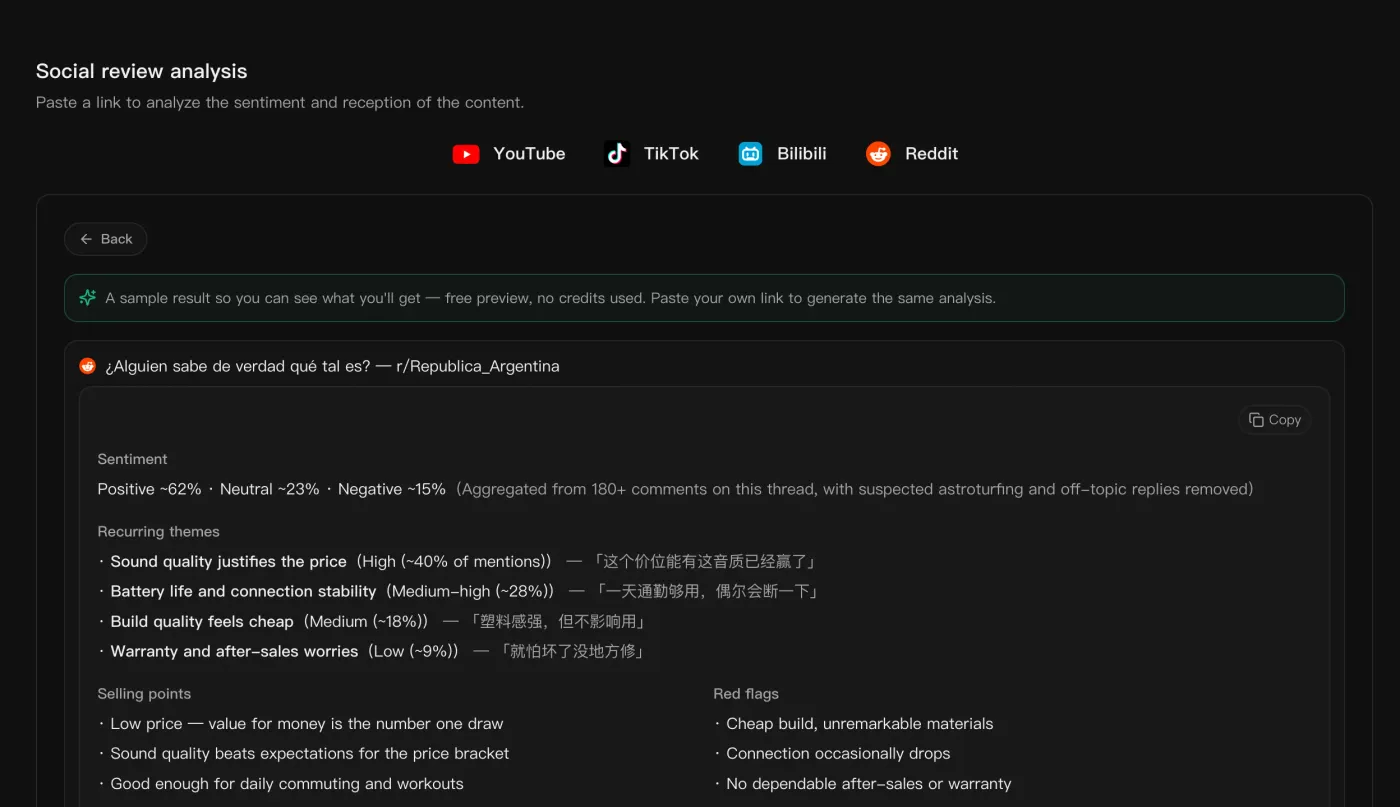
I pull trending topics and hashtag data from TikTok, Instagram, and YouTube to analyze what's working, so topic picks and posting timing are grounded in data instead of guesswork.

Adrian Fontaine
Adrian Fontaine
Growth Analyst · Meridian Studio

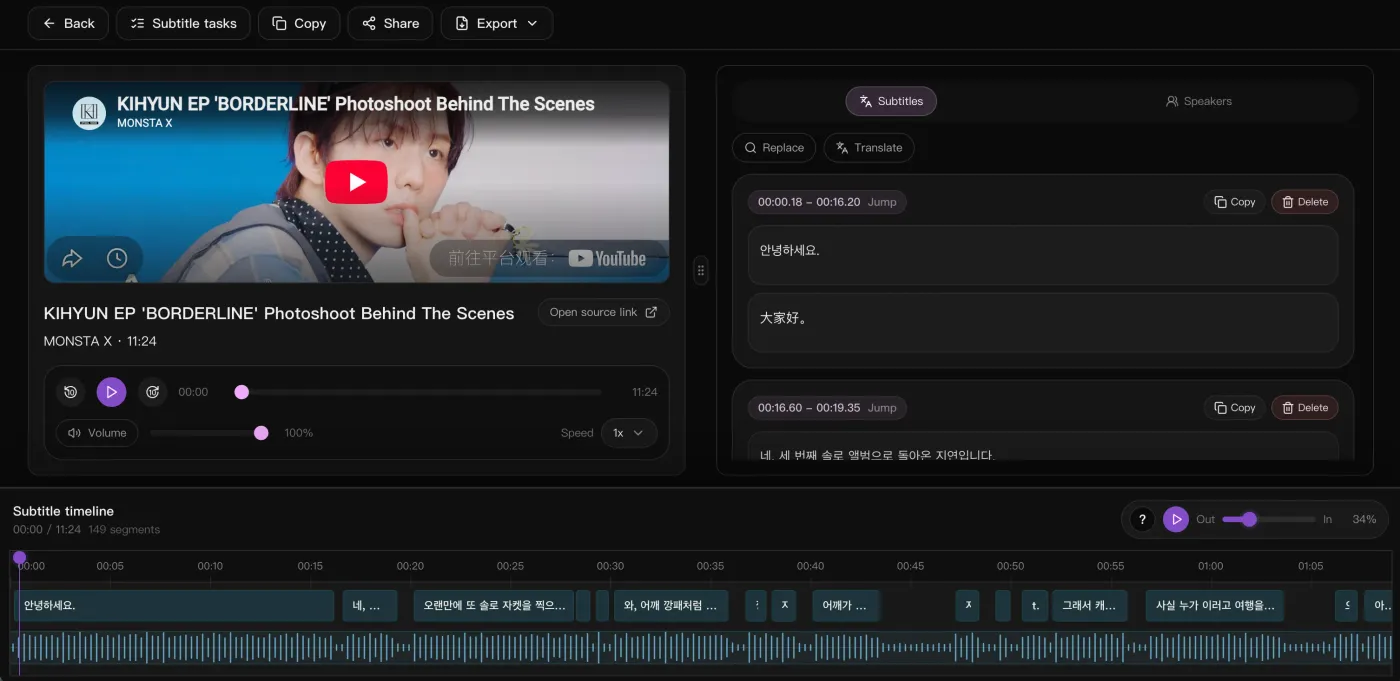
We used to time-align subtitles by hand for overseas short-form. Now bilingual subtitles come straight out and we export SRT to burn in.

Léa Rousseau
Léa Rousseau
Localization Lead · Loomwave

Batch-transcribing dozens of lessons with structured summaries means chapters and a mindmap I can hand straight to learners.

Felix Bergström
Felix Bergström
Head of Learning · Lumina Academy

For foreign-media interviews, source and translation sit on one timeline, so quoting and fact-checking no longer means jumping between windows.

Maya Lindqvist
Maya Lindqvist
Translation Lead · Continuum Press
Pricing

Simple, transparent pricing

Pro shows download points and credits separately. Downloads spend points; summaries and subtitles convert video minutes into credit spend.

Free

$0one-time trial

  • 30 media minutes≈ transcribe/break down 1 30-min videos
  • 20 AI credits / mo≈ 2 images
  • 5 download points / mo
  • Try subtitles / summary / AI image / 1 copywriting run
  • Limited social trends, free
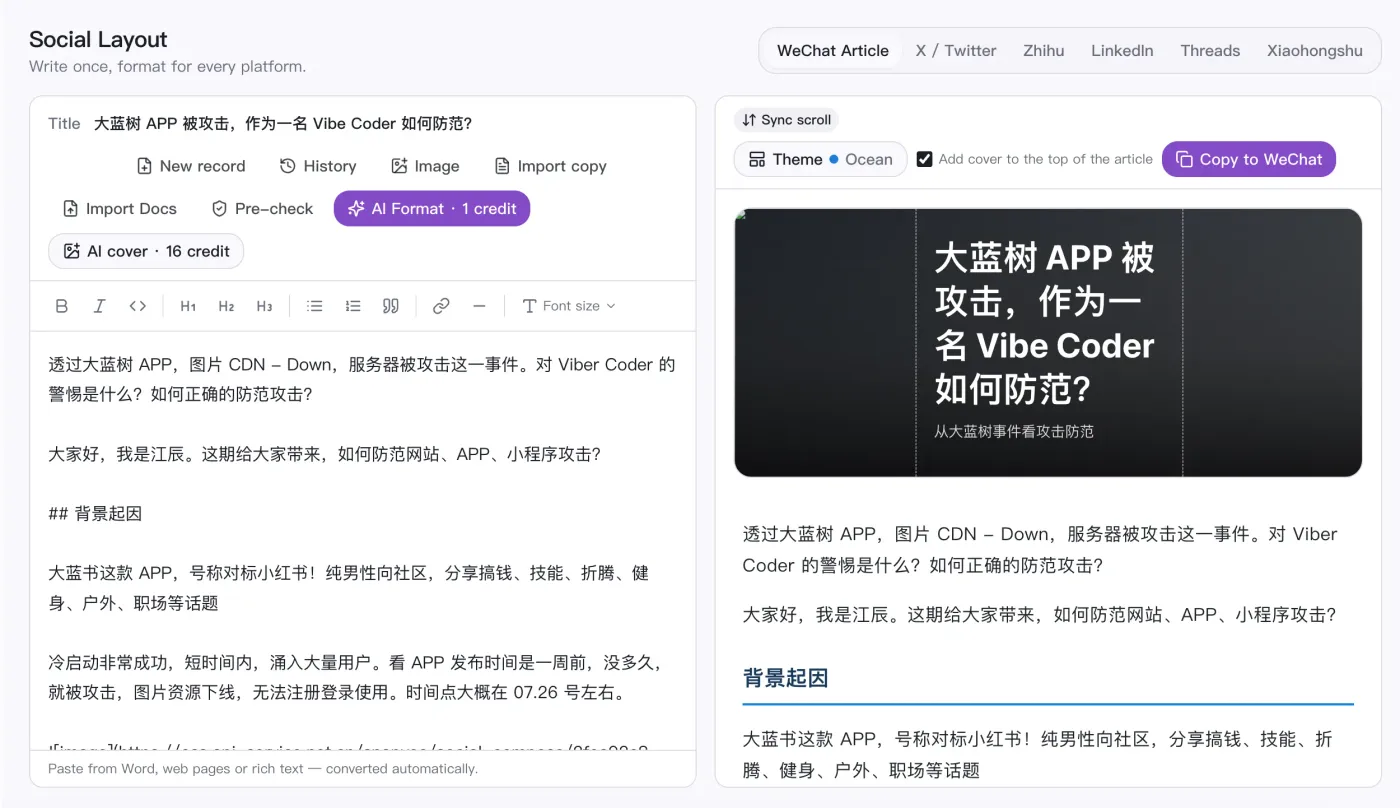
  • Social post formatting
  • Assets kept for 7 days

Lite

$9.99/mo

  • 600 media minutes≈ transcribe/break down 20 30-min videos
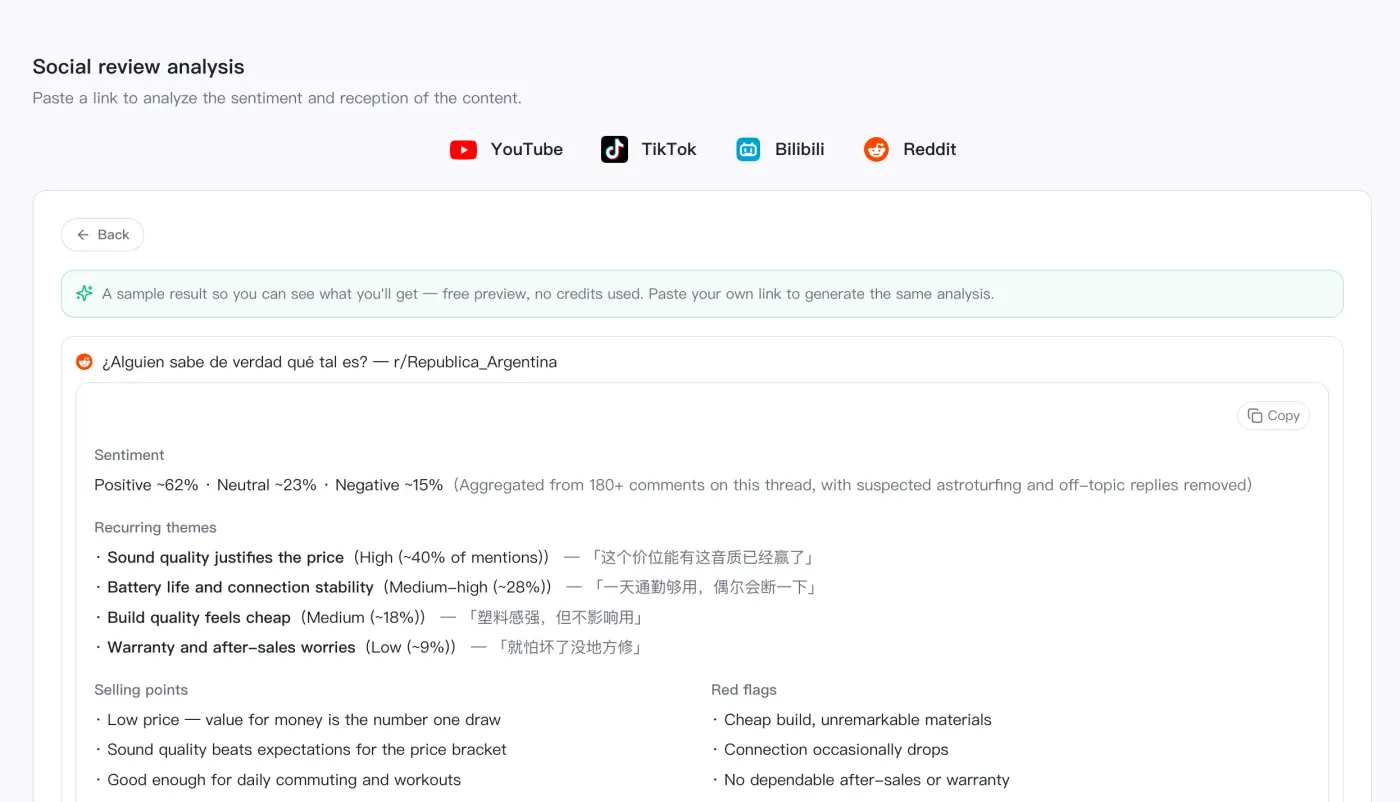
  • 400 AI credits / mo≈ 50 images · 50 copy drafts · 20 review analyses or 8s video (720p)
  • 200 download points / mo≈ download 22 short clips (TikTok)
  • No watermark · 1080p+ download
  • Trend search: 5/day
  • Unlock all social trends
  • Trend picking / sourcing / analytics / summarize & transcribe — full pipeline
  • Social post formatting
  • Can buy add-on packs
  • Assets kept forever
Recommended

Pro

$16.99/mo

  • 1,200 media minutes≈ transcribe/break down 40 30-min videos
  • 1,200 AI credits / mo≈ 150 images · 150 copy drafts · 60 review analyses or 24s video (720p)
  • 500 download points / mo≈ download 55 short clips (TikTok)
  • No watermark · 1080p+ download
  • Trend search: 20/day
  • Unlock all social trends
  • Trend picking / sourcing / analytics / summarize & transcribe — full pipeline
  • Social post formatting
  • Can buy add-on packs
  • Assets kept forever

Studio

$39.99/mo

  • 3,000 media minutes≈ transcribe/break down 100 30-min videos
  • 3,000 AI credits / mo≈ 375 images · 375 copy drafts · 150 review analyses or 60s video (720p)
  • 1,200 download points / mo≈ download 133 short clips (TikTok)
  • No watermark · 1080p+ download
  • Trend search: 50/day
  • Unlock all social trends
  • Trend picking / sourcing / analytics / summarize & transcribe — full pipeline
  • Social post formatting
  • Can buy add-on packs
  • Assets kept forever

Frequently Asked Questions

Quick answers about SnapVee Studio capabilities, free trials, credits, and delivery.

What can SnapVee Studio do?

SnapVee Studio is a creator workspace for public-link downloads, video summaries, subtitle transcription, AI copywriting, AI creation, and desktop watermark removal. Web and desktop share the same account and allowances.

Which platforms can I download from?

The video downloader covers public content from YouTube, TikTok, Instagram, X, Facebook, Threads, Pinterest, and Vimeo. Video Summary and Subtitle Transcription accept a narrower AI-processing set: YouTube, TikTok, and Apple Podcasts links, plus local uploads. Only process content you are allowed to save.

How do I turn a video into text or subtitles?

Paste a public link or upload a local file, then run Subtitle Transcription to get timestamped text with SRT/VTT export, bilingual subtitles, and translation review. Use Video Summary instead when you want structured notes, chapters, and key points.

Which AI models power image and video generation?

AI image generation offers models such as GPT Image 2, Nano Banana, and Seedream; AI video generation offers Seedance, Kling, and Jimeng. You can switch models per task, and each spends AI credits based on the chosen model.

Is SnapVee Studio free?

A free trial is available. Downloads spend download points; subtitles and summaries convert video minutes into credit spend; AI creation spends AI credits. For ongoing use, upgrade to Pro for monthly download allowance and credits.

How are Pro allowances counted?

Pro shows download allowance and credits separately. Downloads spend points by quality; transcription and summaries convert actual video length into credit spend; images, AI video, and premium models spend AI credits.

Which features use allowances?

Processing tools such as downloads, video summaries, subtitle transcription, AI image or video generation, and desktop watermark removal use the matching allowance. Browsing pages, signing in, checking balances, and viewing task status do not consume allowance.

What is the difference between Pro and add-on packs?

Pro includes 200 download points, 600 min subtitle transcription, 300 min video summaries, and 900 AI credits each month. Monthly allowance does not roll over. Download packs and AI credit packs are one-time purchases for extra capacity.

Can I cancel my subscription?

Yes. Cancel anytime from your account; cancellation takes effect at the end of the current billing period, you keep Pro until then, and you can resume before it ends.

What happens if I do not have enough allowance?

Tasks will not enter processing when the matching balance is too low. Buy download packs for more downloads, and AI credit packs for transcription, summaries, image generation, AI video, or premium models.

Are allowances returned if a task fails?

If a task is not created successfully, deducted download points or credits are returned when possible. If a task fails after entering the processing queue, common causes include expired links, public site changes, inaccessible source media, or timeouts. Confirm the link is still public, then retry or contact support.

Which platforms and content are supported?

SnapVee Studio focuses on widely used public platforms such as YouTube, Instagram, TikTok, X, Facebook, and Threads. Only process content you own, are authorized to use, or a platform clearly allows you to save, and confirm your rights before further use.