Cole um link público do YouTube
Comece com um vídeo ou curso. Quando não houver legendas disponíveis, a fala do áudio acessível pode ser transcrita.
Converta vídeos do YouTube em notas Markdown com capítulos e marcações de tempo. Importe o .md no Notion ou salve no Obsidian e exporte o mapa separadamente.
Por dentro
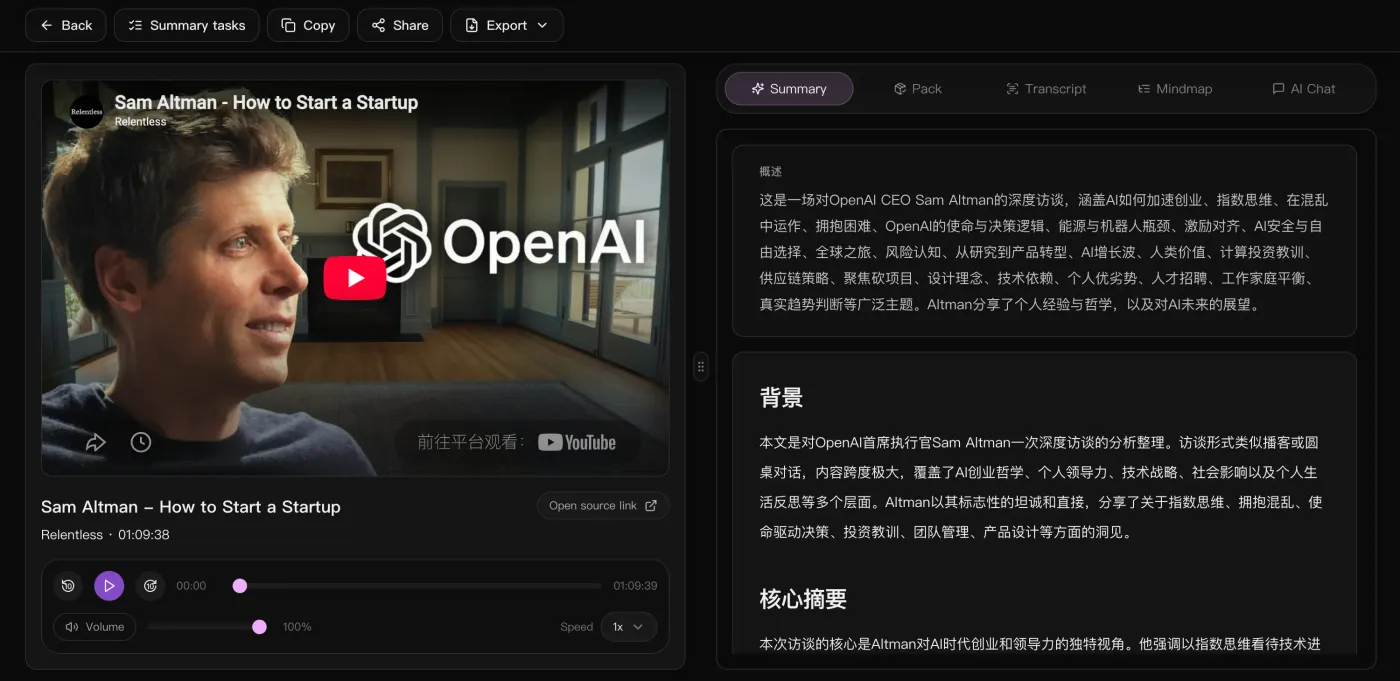
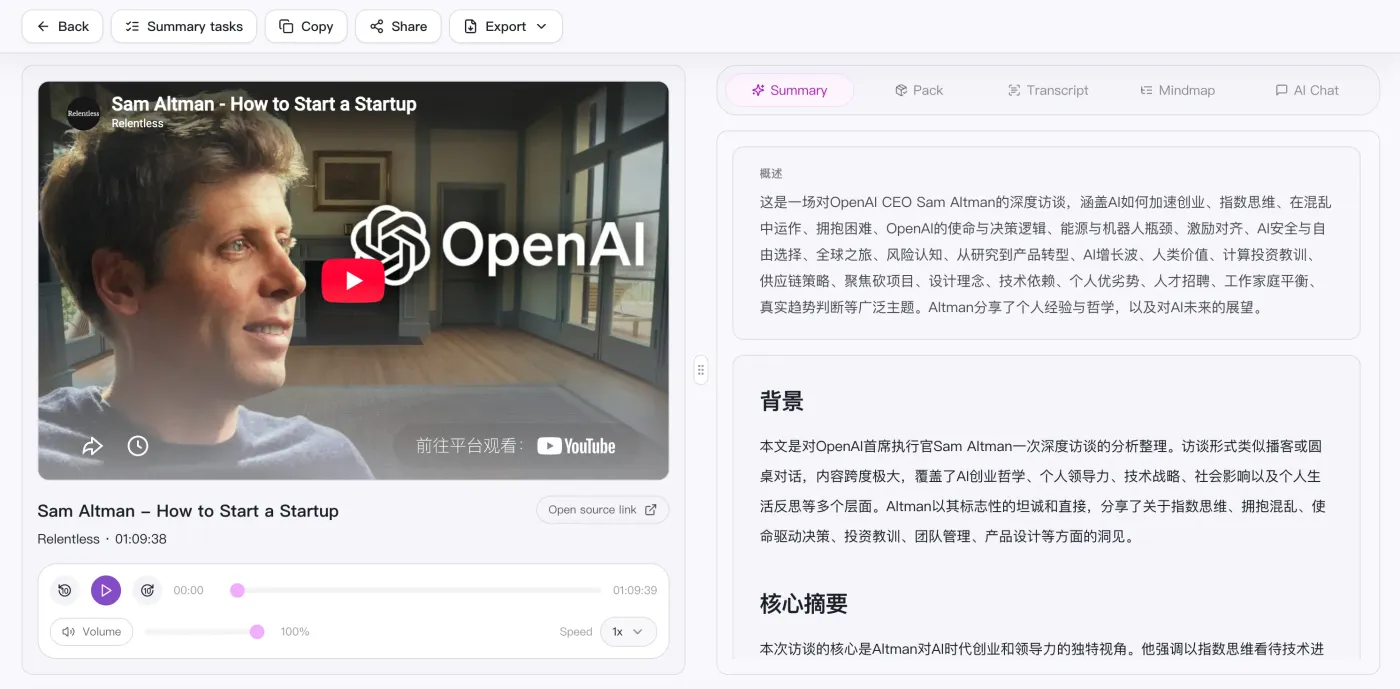
O vídeo à esquerda para conferir quando quiser e, à direita, a visão geral, o contexto e os pontos-chave — o texto completo, o mapa mental e o chat com a IA ficam na aba ao lado.
Converta vídeos do YouTube em notas Markdown com capítulos e marcações de tempo. Importe o .md no Notion ou salve no Obsidian e exporte o mapa separadamente.
Comece com um vídeo ou curso. Quando não houver legendas disponíveis, a fala do áudio acessível pode ser transcrita.
Confira nomes, números e citações importantes no vídeo antes de usar as notas.
Revise o resumo, os exemplos e as ações junto à transcrição. Acrescente suas observações quando faltar contexto.
Importe um .md no Notion ou salve no Obsidian. A exibição de Mermaid depende do editor; também é possível exportar o mapa como SVG.
Revise o resultado como notas de estudo, um relatório de trabalho ou uma lista de ações. Exporte Markdown para salvar no editor que você usa.
Cole um link público ou envie um arquivo de vídeo / áudio local.
Transcreve automaticamente e gera visão geral, capítulos e mapa mental.
Continue conversando com a IA sobre o conteúdo para aprofundar pontos e ações.
Leve o resumo, o mapa mental e a lista de ações para reutilizar em qualquer lugar.
Supported platforms
Lado a lado
Compare entradas e resultados para escolher uma ferramenta para vídeos, gravações e reuniões.
| O que importa | SnapVee | ScreenApp | Notta | NoteGPT |
|---|---|---|---|---|
| Como começar | Cole um link público ou envie um arquivo no navegador | Colar uma URL de vídeo, enviar um arquivo ou gravar | Entrar na reunião ou enviar a gravação | Colar um link do YouTube online ou usar a extensão |
| Melhor entrada | Vídeos longos, podcasts e áudio ou vídeo local | Links públicos, arquivos enviados e gravações | Reuniões ao vivo e notas de voz | Sobretudo vídeos do YouTube |
| O que você recebe | Visão geral, capítulos com marcação de tempo, pontos-chave, mapa mental Mermaid e Markdown | Transcrições, resumos e destaques | Transcrição e ata da reunião | Transcrições, resumos e mapas mentais |
| Aprofundar | Continue perguntando à IA sobre o texto completo e troque o idioma de saída | Perguntar sobre a gravação | Buscar entre reuniões anteriores | Perguntar sobre o vídeo |
| Depois do resumo | Legendas, conversão, análise do vídeo e diagramação social no mesmo lugar | Compartilhar a gravação de volta | Sincronizar as notas com as ferramentas do time | Exportar a nota |
Entradas do ScreenApp e NoteGPT verificadas nas páginas oficiais em 12 de setembro de 2026. É uma visão do fluxo, não uma comparação completa de funções ou planos.ScreenAppNoteGPT
Ler a comparação completa
Já tem as notas. E agora?
Mesma conta, mesma fonte: exporte legendas, entenda por que funcionou, converta o arquivo, diagrame para as redes. Sem trocar de ferramenta.
“Em vez de assistir novamente a um replay de 90 minutos e fazer anotações manualmente, posso examinar os capítulos e voltar apenas onde for importante.”

Oliver Hayes
Gerente de produto · Revisão da reunião
“Para o conteúdo do curso, os resumos estruturados são muito mais úteis do que as transcrições brutas quando preciso preparar materiais de aprendizagem.”

Emma Sullivan
Operador do curso · Operações de conhecimento
“Episódios longos de podcast tornam-se reutilizáveis mais rapidamente porque posso transformar títulos de capítulos e resumos em publicação multicanal.”

Lucas Meyer
Editor de conteúdo · Fluxo de trabalho do podcast
Não encontrou resposta? Fale com o nosso suporte quando quiser.
Guias
Veja os passos para processar um vídeo e salvar o resultado.
Escolha importar Markdown, colar o texto ou abrir o Obsidian.
Escolha entre legendas existentes e transcrição do áudio.
Transcreva a fala, confira os tempos e prepare um resumo.
Comece com um link público. O foco atual é tornar sólido o fluxo de resumo, leitura e exportação antes de qualquer outra coisa.