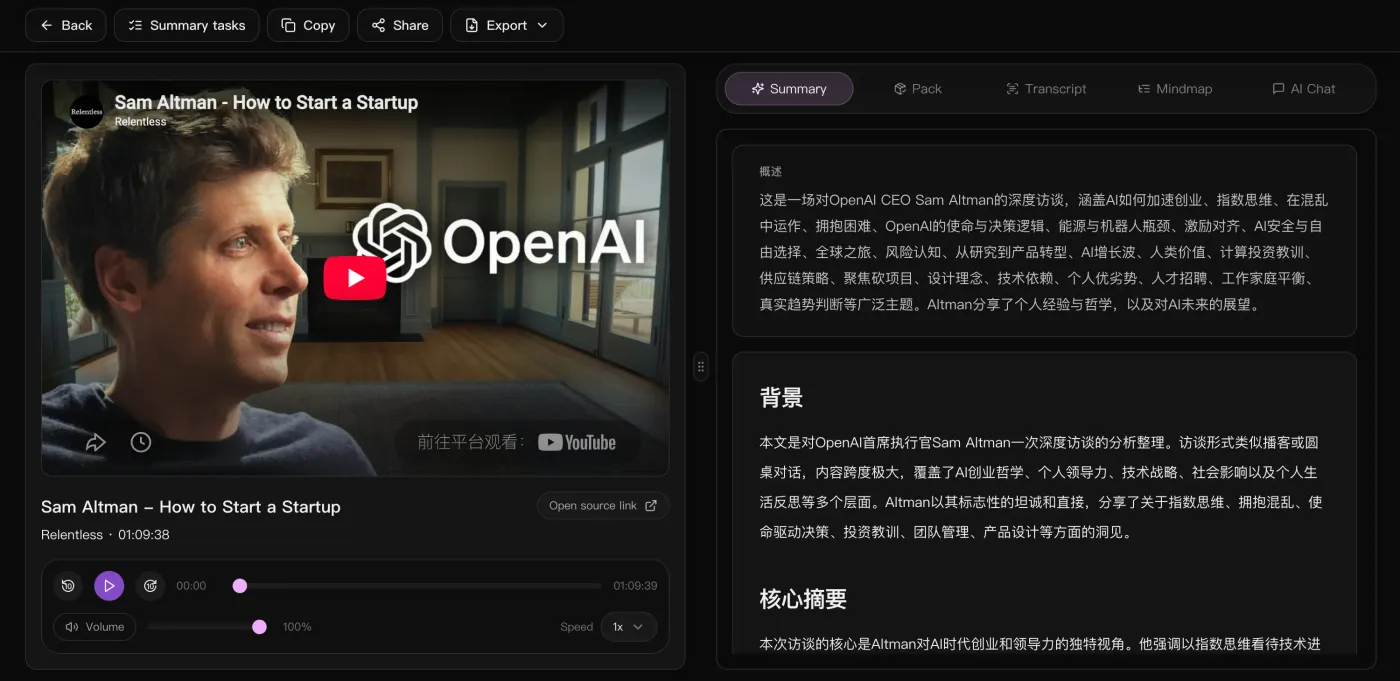
Paste a public YouTube link
Start with a video or course link. When captions are unavailable, accessible speech can still be transcribed.
Convert YouTube videos into Markdown notes with chapters and timestamps. Download a .md file for Notion import or your Obsidian vault, with separate mindmap exports.
Dans l'espace de travail
La vidéo à gauche pour vérifier à tout moment, et à droite la synthèse, le contexte et les points clés — le texte intégral, la carte mentale et le chat avec l'IA sont dans l'onglet d'à côté.
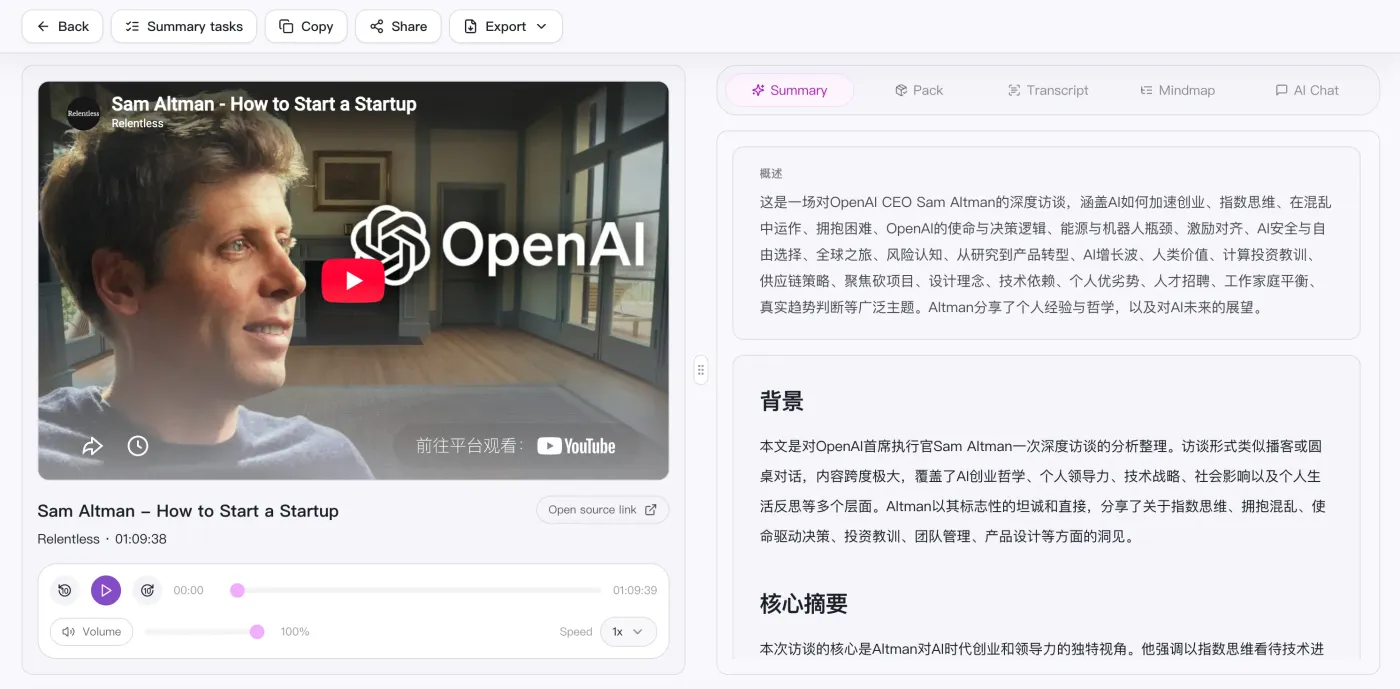
Convert YouTube videos into Markdown notes with chapters and timestamps. Download a .md file for Notion import or your Obsidian vault, with separate mindmap exports.
Start with a video or course link. When captions are unavailable, accessible speech can still be transcribed.
Check names, numbers and important quotes against the video before relying on the notes.
Review the summary, examples and action items alongside the transcript. Add your own notes where context is missing.
Import a .md file into Notion or save it in Obsidian. Mermaid rendering depends on the editor; SVG is an alternative for the diagram.
Review the result as study notes, a work brief or an action list. Export Markdown to keep the notes in your preferred editor.
Collez un lien public ou importez un fichier vidéo / audio local.
Transcription automatique et génération d’une vue d’ensemble, de chapitres et d’une carte mentale.
Continuez à discuter du contenu avec l’IA pour approfondir les points et les actions.
Emportez le résumé, la carte mentale et la liste d’actions pour les réutiliser partout.
Supported platforms
Comparaison
Comparez les entrées et les résultats pour choisir un outil pour les vidéos, enregistrements et réunions.
| Ce qui compte | SnapVee | ScreenApp | Notta | NoteGPT |
|---|---|---|---|---|
| Pour démarrer | Collez un lien public ou importez un fichier dans le navigateur | Coller une URL vidéo, importer un fichier ou enregistrer | Faire rejoindre la réunion ou importer l'enregistrement | Coller un lien YouTube en ligne ou utiliser une extension |
| Meilleure source | Vidéos longues, podcasts et fichiers audio ou vidéo locaux | Liens publics, fichiers importés et enregistrements | Réunions en direct et mémos vocaux | Surtout les vidéos YouTube |
| Ce que vous obtenez | Synthèse, chapitres horodatés, points clés, carte mentale Mermaid et Markdown | Transcriptions, résumés et points forts | Transcription et compte rendu de réunion | Transcriptions, résumés et cartes mentales |
| Aller plus loin | Continuez à interroger l'IA sur le texte complet et changez la langue de sortie | Poser des questions sur l'enregistrement | Chercher dans les réunions passées | Poser des questions sur la vidéo |
| Après le résumé | Sous-titres, conversion, analyse de la vidéo, mise en forme sociale — au même endroit | Repartager l'enregistrement | Synchroniser les notes avec les outils d'équipe | Exporter la note |
Les entrées de ScreenApp et NoteGPT ont été vérifiées sur leurs pages officielles le 12 septembre 2026. Il s’agit d’un aperçu du flux, pas d’une comparaison exhaustive des fonctions ou forfaits.ScreenAppNoteGPT
Lire la comparaison complète
Les notes sont là. Et ensuite ?
Même compte, même source : exporter les sous-titres, analyser ce qui a marché, convertir le fichier, le mettre en forme pour les réseaux. Sans changer d'outil.
“Organizing video notes by hand used to take half an hour; now I export Markdown and paste it in.”

Adrian Fontaine
Knowledge blogger · Obsidian power user
“Lecture videos become .md with timestamped headings that link straight into my vault.”

Julian Weber
Researcher · Literature management
“I convert long videos to Markdown, then rewrite them into a newsletter — no more transcribing by ear.”

Maya Lindqvist
Newsletter author
“Chapter headings come pre-split; imported into Logseq it's a ready-made study outline.”

Ryan Cooper
Student · Logseq notes
“I turn launch videos into Markdown drafts, and the Mermaid diagrams render as-is.”

Thomas Wright
Technical writing · Docs
“One video becomes structured .md — enough source material for several articles.”

Nina Albrecht
Freelance writer · Repurposing
Vous ne trouvez pas de réponse ? Contactez notre support à tout moment.
Commencez avec un lien public. L'objectif actuel est de rendre le flux de résumé, de lecture et d'exportation solide avant toute autre chose.