Best Video Downloader in 2026? SnapVee vs IDM vs SnapAny vs 4K Video Downloader vs Cobalt
A 2026 side-by-side comparison of five popular video downloaders — platform support, social media downloads, quality, batch, pricing, and lifetime plans — to help you pick the right one.
Best Video Downloader in 2026? Five Tools Compared
There's no single "best video downloader" — only the one that fits how you work. Some people just want to save YouTube videos reliably. Others grab TikTok, Instagram, and X clips in bulk for content. And some want more than downloading — subtitles, transcripts, and AI summaries in the same place.
This post lines up the five tools people compare most in 2026: SnapVee, IDM, SnapAny, 4K Video Downloader, and Cobalt. First a quick comparison table, then each tool's strengths and weak spots, and finally a pick-by-use-case guide. Use the product nav on the left to jump straight to the one you care about.
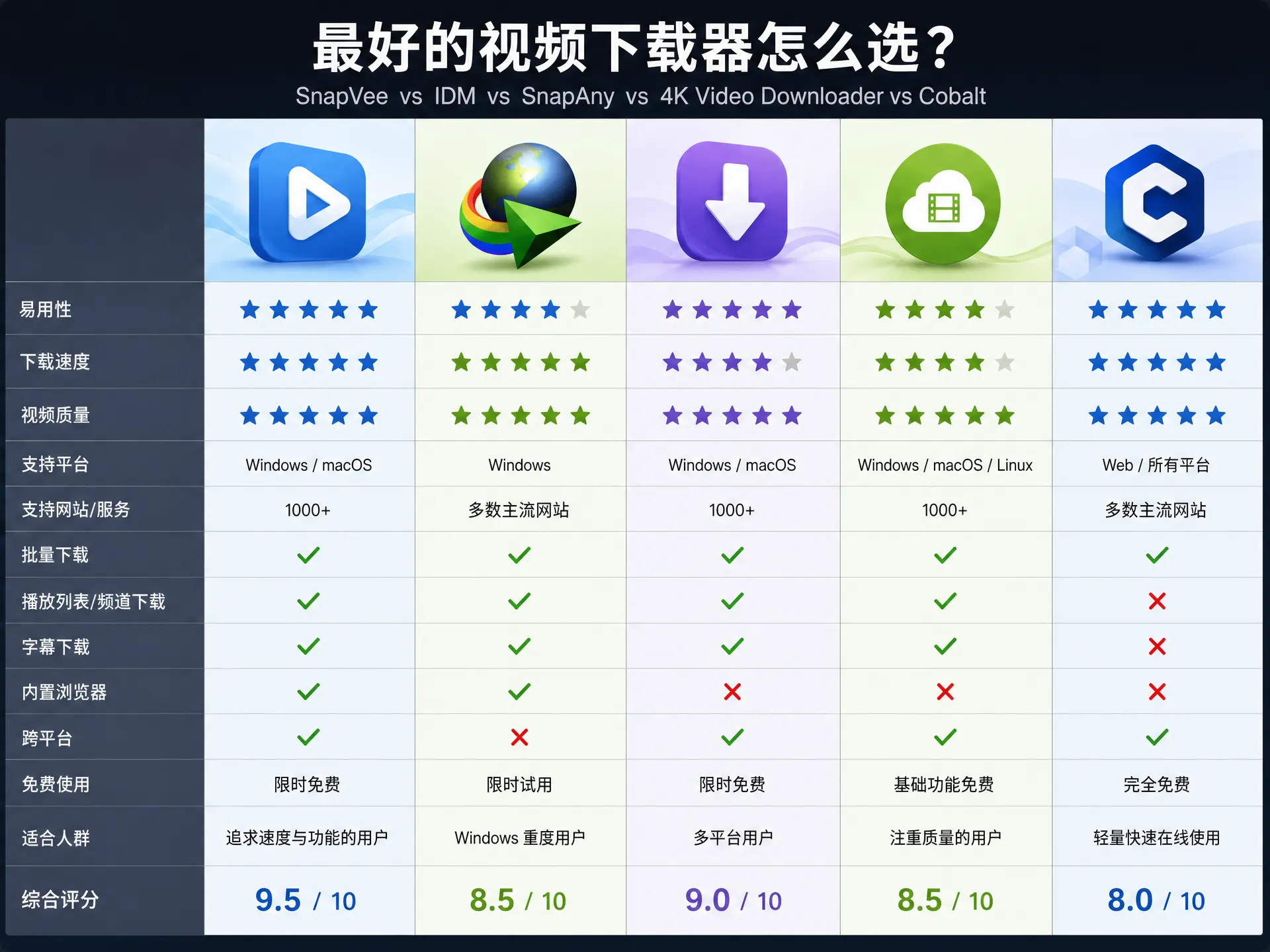
Quick comparison
| Dimension | SnapVee | IDM | SnapAny | 4K Video Downloader | Cobalt |
|---|---|---|---|---|---|
| Platforms | All platforms, 1000+ sites | Browser capture, YouTube often fails | Social-first | YouTube/Vimeo + some social | YouTube + major social |
| Social media | ✅ Native | ❌ Barely | ✅ Focus | ⚠️ Limited | ✅ Yes |
| Max quality | 4K/8K, auto audio merge | Depends on capture | Mostly 720p/1080p | 4K/8K | Source quality, no re-encode |
| Subtitles / transcript / AI summary | ✅ Transcribe + translate + summarize | ❌ | ❌ | ❌ | ❌ |
| Batch downloads | ✅ | ✅ Queue | ⚠️ Limited | ✅ (paid) | ❌ |
| Runs on | Web + desktop (Win/Mac) | Windows desktop only | Web | Desktop (Win/Mac/Linux) | Web / self-hosted |
| Pricing | Free daily quota + unlimited plan + lifetime plan | One-time license (single PC) | Credits / subscription | Freemium + paid license | Free, open source |
| Clean? | No ads, no bundles | Piracy-ridden, risky | So-so | Clean | Clean |
The ✅ / ⚠️ / ❌ marks are directional; the real experience depends on each tool's latest version.
SnapVee
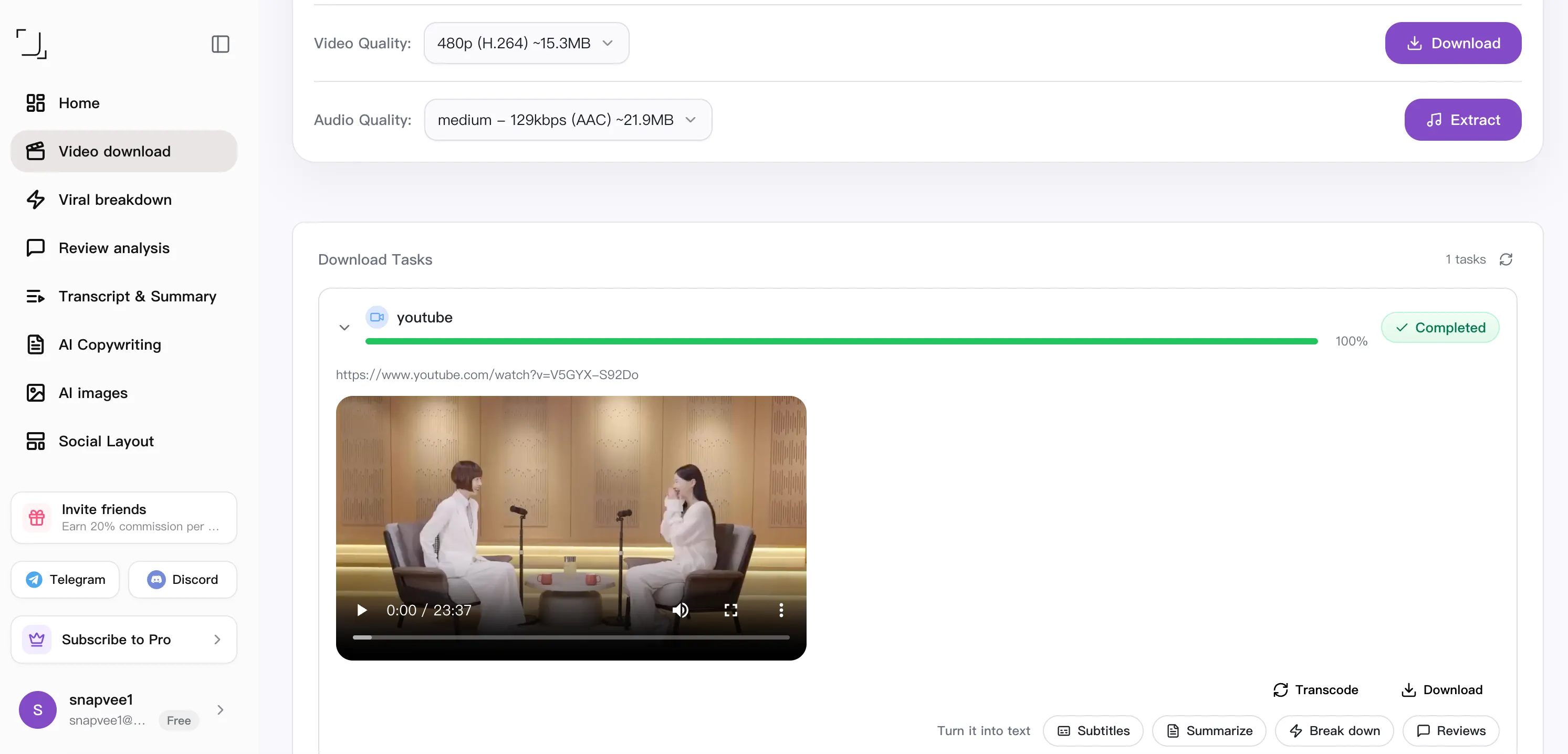
SnapVee is the widest-reaching tool here. It doesn't position itself as a "YouTube downloader" — it's a content workbench where downloading is just the entry point, followed by subtitle transcription, AI summaries, and AI image generation.
Strengths
- All-platform support: YouTube, TikTok, Instagram, X, Facebook, BiliBili, Xiaohongshu, niconico, and 1000+ sites — one entry point, no tool-switching per platform.
- Native social media downloads: short videos, Reels, and Shorts download by pasting a link; watermark removal and batch handling live in the same workbench.
- Up to 4K/8K: audio and video merge automatically, and long videos stay stable — no "picture but no sound".
- More than downloading: from the same link you can transcribe subtitles, run bilingual QA, and generate AI video summaries — sourcing and note-taking in one pass.
- Lifetime plan pricing: beyond a free daily quota and monthly/yearly plans, SnapVee offers a lifetime plan — pay once, use long term. Over time it beats renewing every year, and it's the clearest differentiator from the others here.
- Web + desktop: light tasks in the browser, heavy local batches on the Win/Mac desktop app.
Watch out for
- Free/guest users have a daily download limit; heavy use needs a plan.
- With so many features, the workbench takes a few minutes to learn at first.
IDM
Internet Download Manager (IDM) is a veteran download accelerator. It captures links via a browser extension, speeds things up with multithreading, and manages download queues well.
Strengths
- Multithreaded downloads and resume support; rock-solid on plain direct-link files.
- Mature queues and scheduling — good for large files and bulk direct links.
Watch out for
- YouTube is getting harder: after platform changes, 403 errors and missing video streams are common.
- Barely supports social media: TikTok, Instagram, and X, which need parsing, are a struggle.
- Windows only, so Mac users are out; the many "cracked" copies online also carry security risks.
🖼️ Image placeholder · 1600×900 suggested: IDM download queue / the browser capture floating bar.
SnapAny
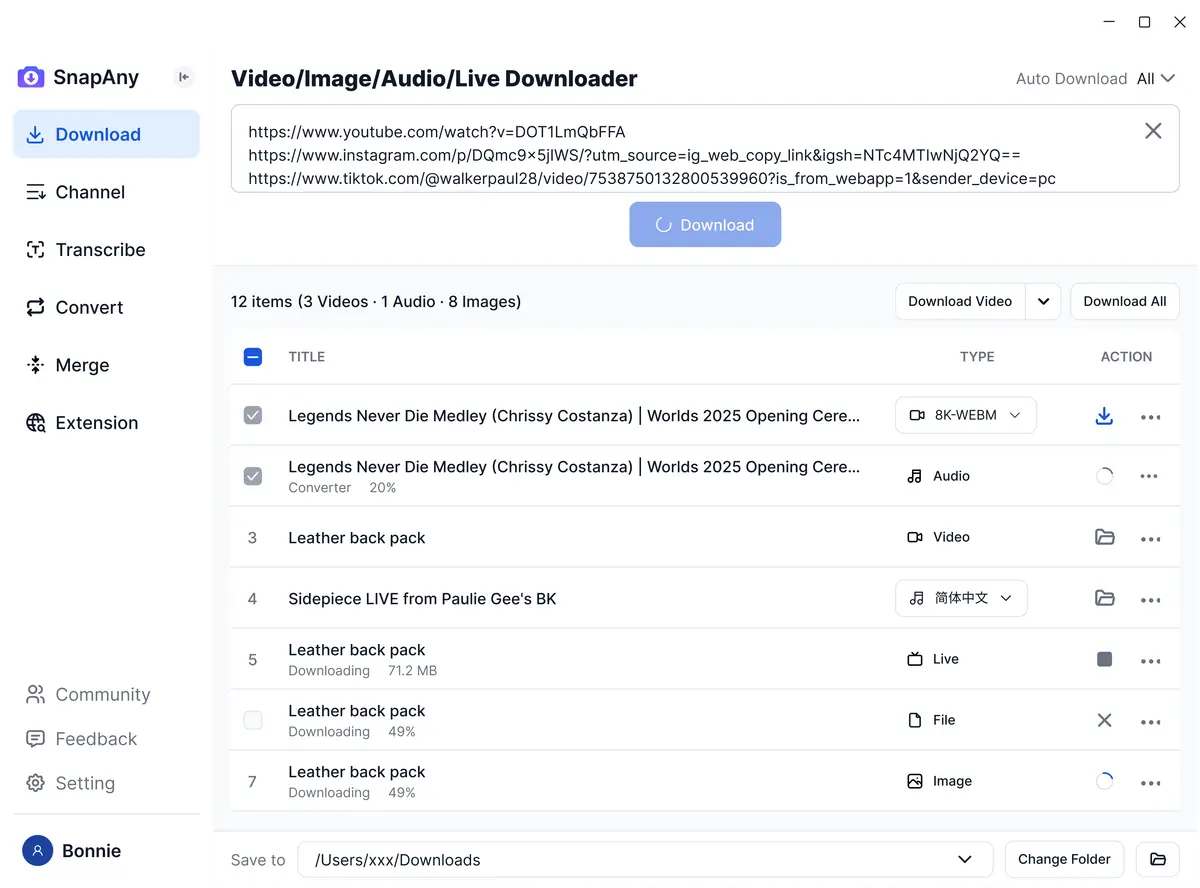
SnapAny is a web-based social media downloader built around "paste a link and go", covering many short-video platforms.
Strengths
- Works in the browser, no install, quick to start.
- Solid coverage of social platforms with easy watermark-free downloads.
Watch out for
- Mostly 720p/1080p; limited 4K support.
- Weak batch handling; the experience drops off at volume.
- Download-only — no subtitles, transcription, or summaries.
4K Video Downloader
4K Video Downloader is a desktop downloader that, as the name suggests, focuses on high quality and runs on Win/Mac/Linux.
Strengths
- Supports 4K/8K, plus playlists and channels.
- Works across all three major desktop OSes and feels solid.
Watch out for
- The free version caps download counts; advanced features need a license.
- Social platform coverage isn't as broad as dedicated social tools.
- It's desktop software — switching devices and multi-device workflows are less convenient than web.

Cobalt
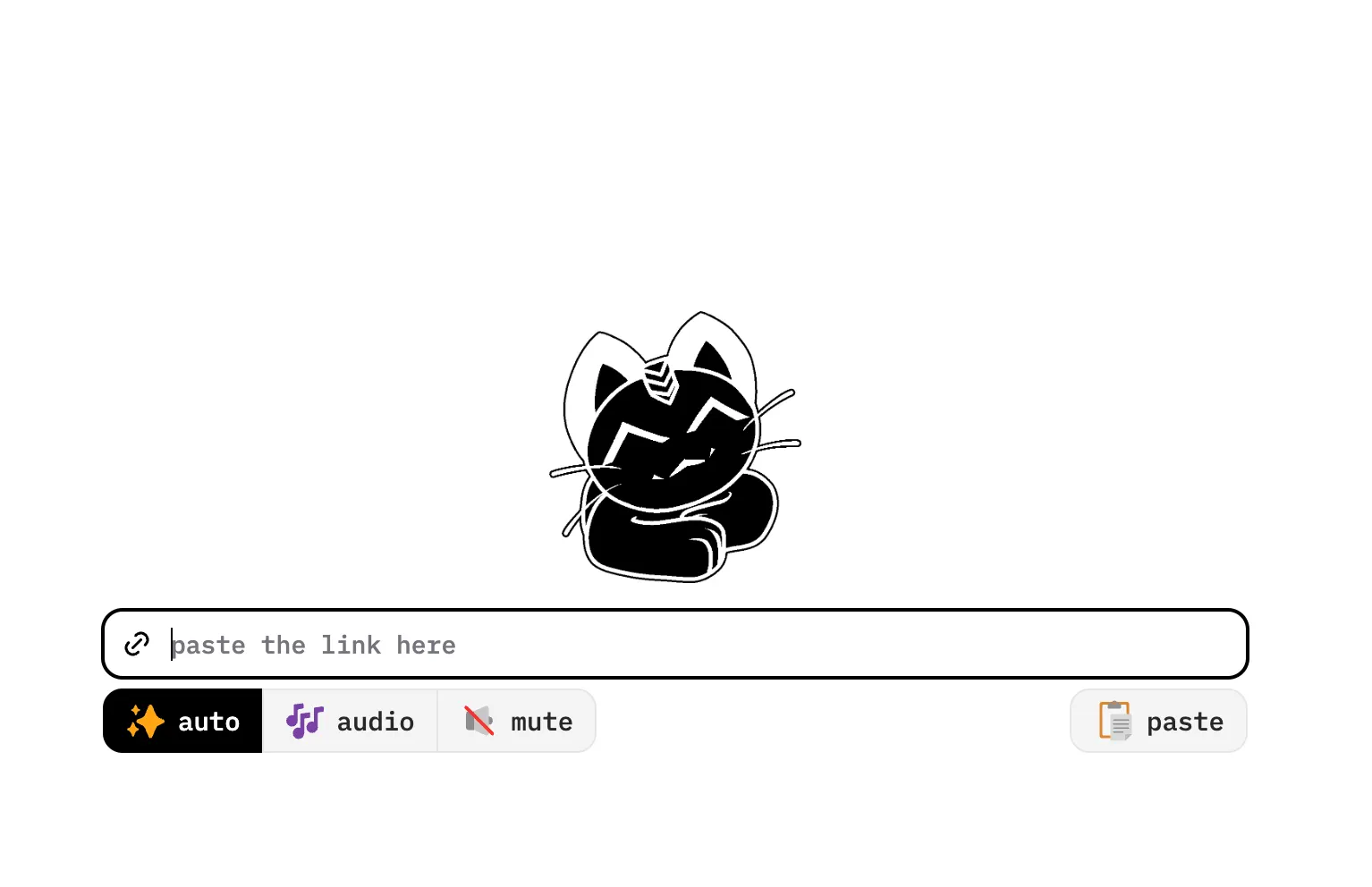
Cobalt is an open-source, free web downloader with a minimal interface, built around "clean and ad-free", covering YouTube and major social platforms.
Strengths
- Completely free and open source, no ads, no bundles.
- Clean UI; handles common YouTube and social links.
Watch out for
- Just "parse + download" — no batch management, accounts, or post-processing.
- Public instances can vary in speed/stability; self-host for control.
- Output is mostly source quality — no re-encoding or quality optimization.
So which one?
- Big direct-link downloads on Windows only → IDM still does the job.
- Free, clean, the occasional one-off → Cobalt.
- Just social short videos, keep it simple → SnapAny.
- 4K and whole playlists on the desktop → 4K Video Downloader.
- All platforms, social included, plus transcription/summaries, and pay once for the long run → SnapVee.
If your needs span multiple platforms and you'd rather not juggle a downloader, a transcription tool, and a summarizer, SnapVee's all-platform support + native social downloads + lifetime plan pricing make it the best all-round value of the five.
Want to try it? Open the SnapVee workbench and paste a link to start; grab the desktop app for heavy local tasks.
About the author

Jason Jiang
Product and engineering lead
Maintains SnapVee's core product features, ships platform support and product updates, and writes official tutorials and comparison content.