How to use SnapVee in WorkBuddy: a guide to drafts, transcripts and comments
Jason Jiang
WorkBuddySnapVee
Use SnapVee in WorkBuddy to rewrite drafts, examine structure, summarize transcripts and analyze comments you provide.
SnapVee is available on WorkBuddy for working with your own drafts, transcript text and comments. Here is how to get started.
Get started
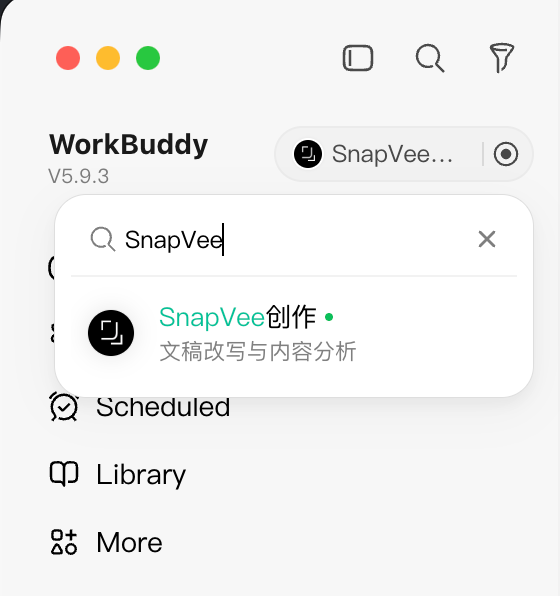
- Open WorkBuddy, search the app marketplace for SnapVee, and open the app.
- Choose a work mode and a scene, such as Rewrite → Social post or Summarize → Key points.
- Paste your draft, transcript or comments, or upload a text file WorkBuddy can read. Specify your audience, channel and desired output.
- Choose a scene template or enter your own request, then review and refine the result.
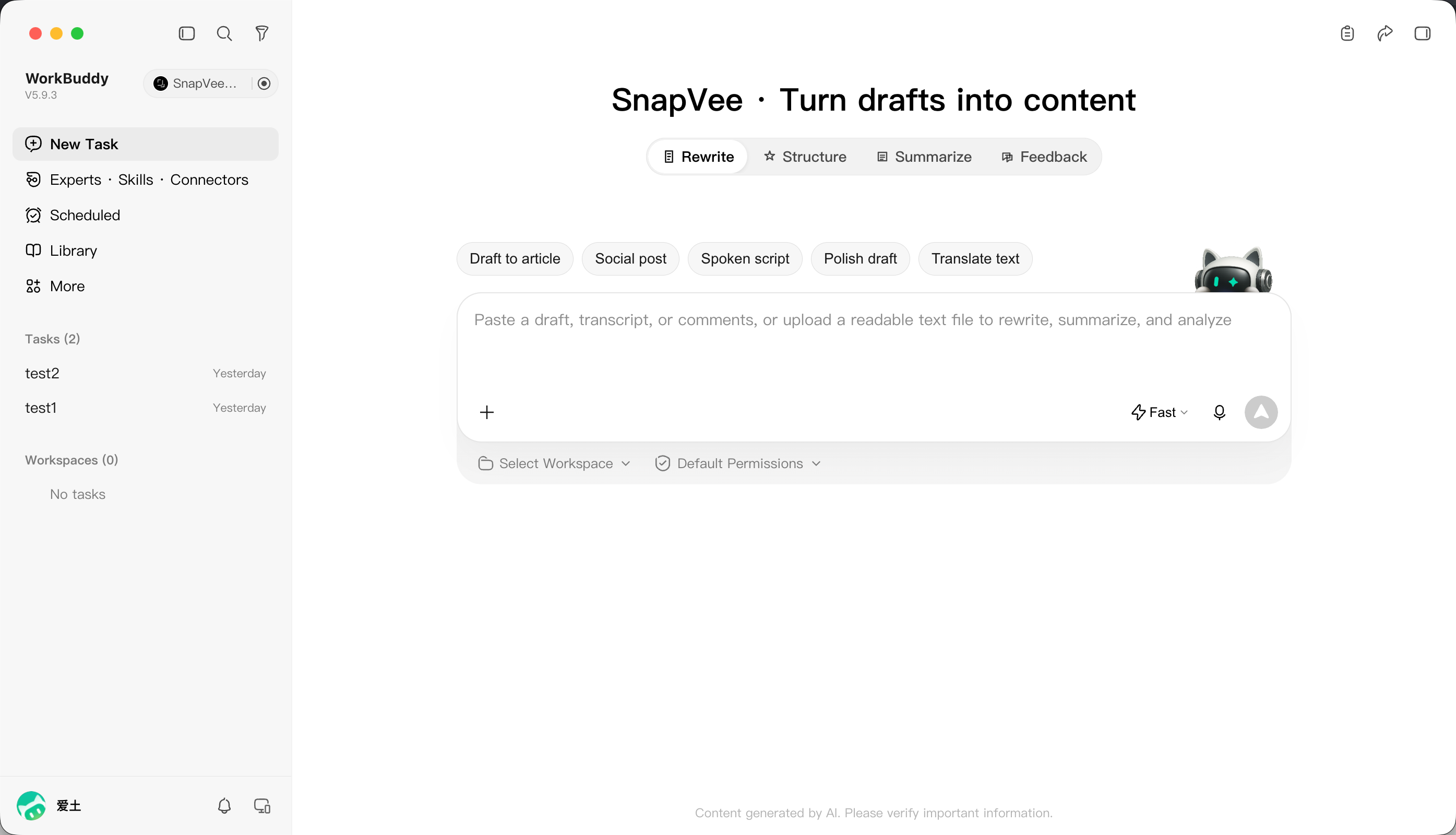
The writing modes use WorkBuddy's platform model and do not require a SnapVee account or token. Available controls may vary with the WorkBuddy interface.
Four ways to work
- Rewrite turns supplied drafts into articles, social posts or spoken scripts; it can also polish or translate them.
- Structure examines openings, outlines and endings, and adapts supplied content to an audience.
- Summarize extracts key points, section summaries, actions and terms from existing transcript text.
- Feedback groups supplied comments into themes, common questions and draft replies.
Prompts to try
- “Turn this draft into a structured article. Preserve the facts and provide a title and body: [paste draft].”
- “Summarize these transcript notes in five points and list actions. Flag anything uncertain: [paste transcript].”
- “Group these comments by theme, identify common questions and draft replies without inventing comments: [paste comments].”
Frequently asked questions
Can I provide only a video link? The writing app needs text or a readable file; it does not automatically fetch links, download videos or transcribe media. Prepare the text in SnapVee first if needed, then bring it into WorkBuddy.
Use material you have permission to process and check facts, quotations and AI output before publishing. If a file cannot be read, paste the relevant text instead.