Paste a public YouTube link
Start with a video or course link. When captions are unavailable, accessible speech can still be transcribed.
Convert YouTube videos into Markdown notes with chapters and timestamps. Download a .md file for Notion import or your Obsidian vault, with separate mindmap exports.
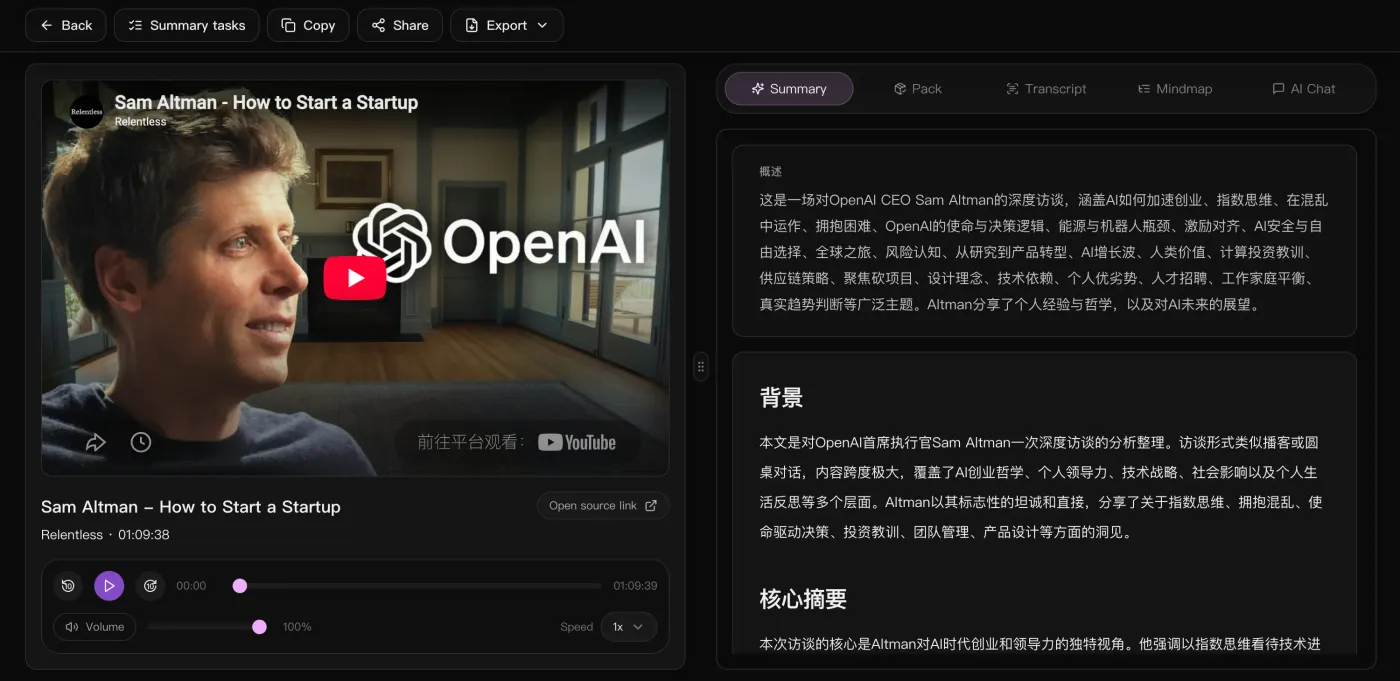
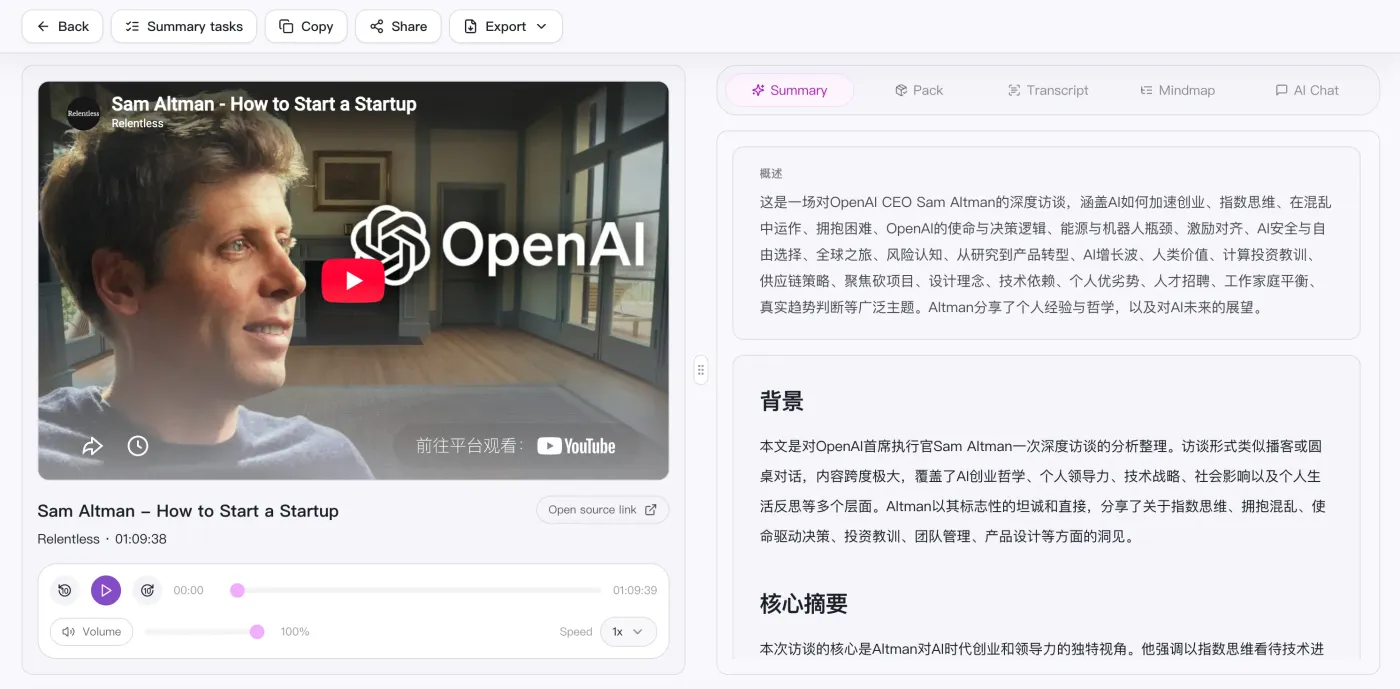
Dentro lo spazio di lavoro
A sinistra il video per verificare quando vuoi, a destra panoramica, contesto e punti chiave — testo completo, mappa mentale e chat con l'IA sono nella scheda accanto.
Convert YouTube videos into Markdown notes with chapters and timestamps. Download a .md file for Notion import or your Obsidian vault, with separate mindmap exports.
Start with a video or course link. When captions are unavailable, accessible speech can still be transcribed.
Check names, numbers and important quotes against the video before relying on the notes.
Review the summary, examples and action items alongside the transcript. Add your own notes where context is missing.
Import a .md file into Notion or save it in Obsidian. Mermaid rendering depends on the editor; SVG is an alternative for the diagram.
Review the result as study notes, a work brief or an action list. Export Markdown to keep the notes in your preferred editor.
Incolla un link pubblico o carica un file video / audio locale.
Trascrive automaticamente e genera panoramica, capitoli e mappa mentale.
Continua a dialogare con l’AI sul contenuto per approfondire punti e azioni.
Porta riassunto, mappa mentale ed elenco di azioni per riutilizzarli ovunque.
Supported platforms
Confronto diretto
Confronta gli input e i risultati per scegliere uno strumento per video, registrazioni e riunioni.
| Cosa conta | SnapVee | ScreenApp | Notta | NoteGPT |
|---|---|---|---|---|
| Come si parte | Incolli un link pubblico o carichi un file nel browser | Incollare un URL video, caricare un file o registrare | Far entrare in riunione o caricare la registrazione | Incollare un link YouTube online o usare l’estensione |
| Sorgente migliore | Video lunghi, podcast e file audio o video locali | Link pubblici, file caricati e registrazioni | Riunioni dal vivo e note vocali | Soprattutto video di YouTube |
| Cosa ottieni | Panoramica, capitoli con timecode, punti chiave, mappa mentale Mermaid e Markdown | Trascrizioni, riassunti e punti salienti | Trascrizione e verbale della riunione | Trascrizioni, riassunti e mappe mentali |
| Approfondire | Continui a interrogare l'IA sul testo completo e cambi la lingua di output | Fare domande sulla registrazione | Cercare tra le riunioni passate | Fare domande sul video |
| Dopo il riassunto | Sottotitoli, conversione, analisi del video, impaginazione social — nello stesso posto | Ricondividere la registrazione | Sincronizzare le note con gli strumenti del team | Esportare la nota |
Gli input di ScreenApp e NoteGPT sono stati verificati sulle pagine ufficiali il 12 settembre 2026. È una panoramica del flusso, non un confronto completo di funzioni o piani.ScreenAppNoteGPT
Leggi il confronto completo
Hai gli appunti. E adesso?
Stesso account, stessa fonte: esporta i sottotitoli, capisci perché ha funzionato, converti il file, impaginalo per i social. Senza cambiare strumento.
“Organizing video notes by hand used to take half an hour; now I export Markdown and paste it in.”

Adrian Fontaine
Knowledge blogger · Obsidian power user
“Lecture videos become .md with timestamped headings that link straight into my vault.”

Julian Weber
Researcher · Literature management
“I convert long videos to Markdown, then rewrite them into a newsletter — no more transcribing by ear.”

Maya Lindqvist
Newsletter author
“Chapter headings come pre-split; imported into Logseq it's a ready-made study outline.”

Ryan Cooper
Student · Logseq notes
“I turn launch videos into Markdown drafts, and the Mermaid diagrams render as-is.”

Thomas Wright
Technical writing · Docs
“One video becomes structured .md — enough source material for several articles.”

Nina Albrecht
Freelance writer · Repurposing
Non trovi una risposta? Contatta il nostro team di supporto quando vuoi.
Inizia con un collegamento pubblico. L'obiettivo attuale è rendere solido il flusso di riepilogo, lettura ed esportazione prima di ogni altra cosa.