Links and local files go through one queue
YouTube, TikTok, and BiliBili reuse the current media pipeline, podcast platforms use audio parsers, and local files enter the same summary pipeline directly.
Online TikTok summarizer. Turn public short videos into notes and takeaways, including clips without captions. Paste a public link — an active subscription is required.
Inside the workspace
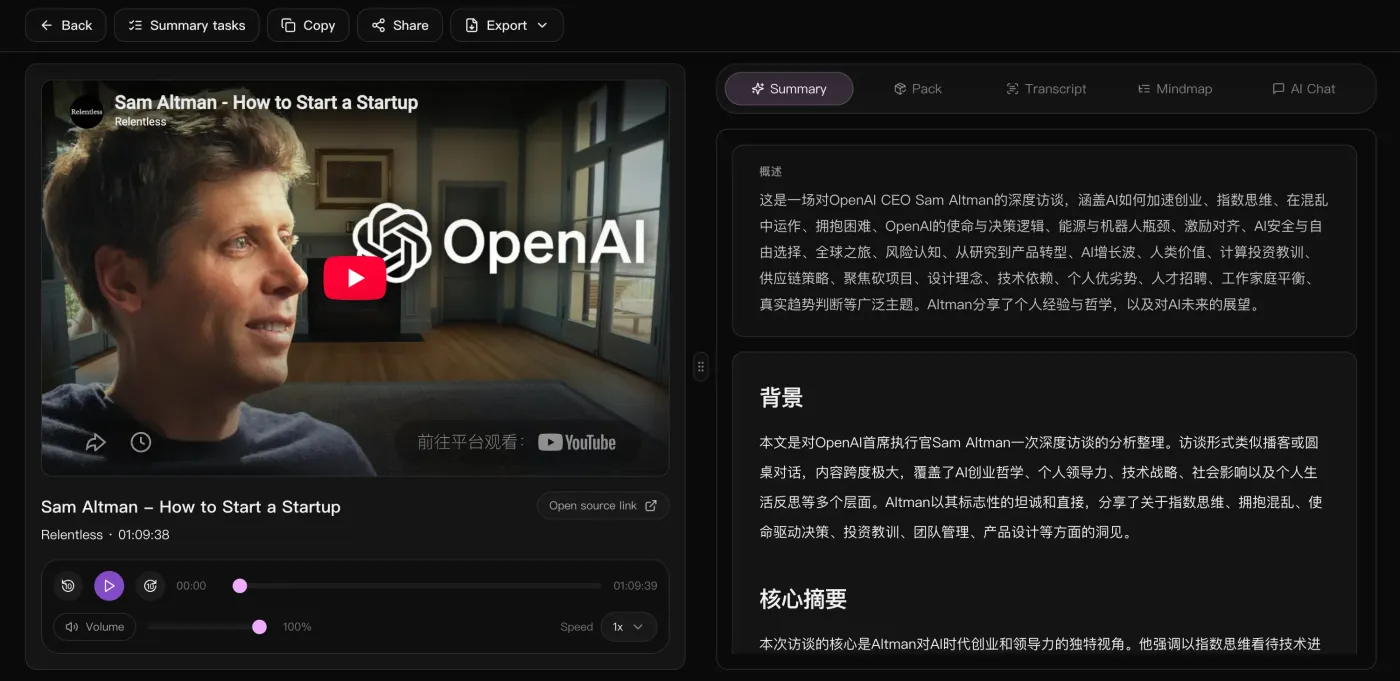
The video on the left to check anything against, the overview, background and key takeaways on the right — with the full text, the mindmap and an AI chat one tab away.
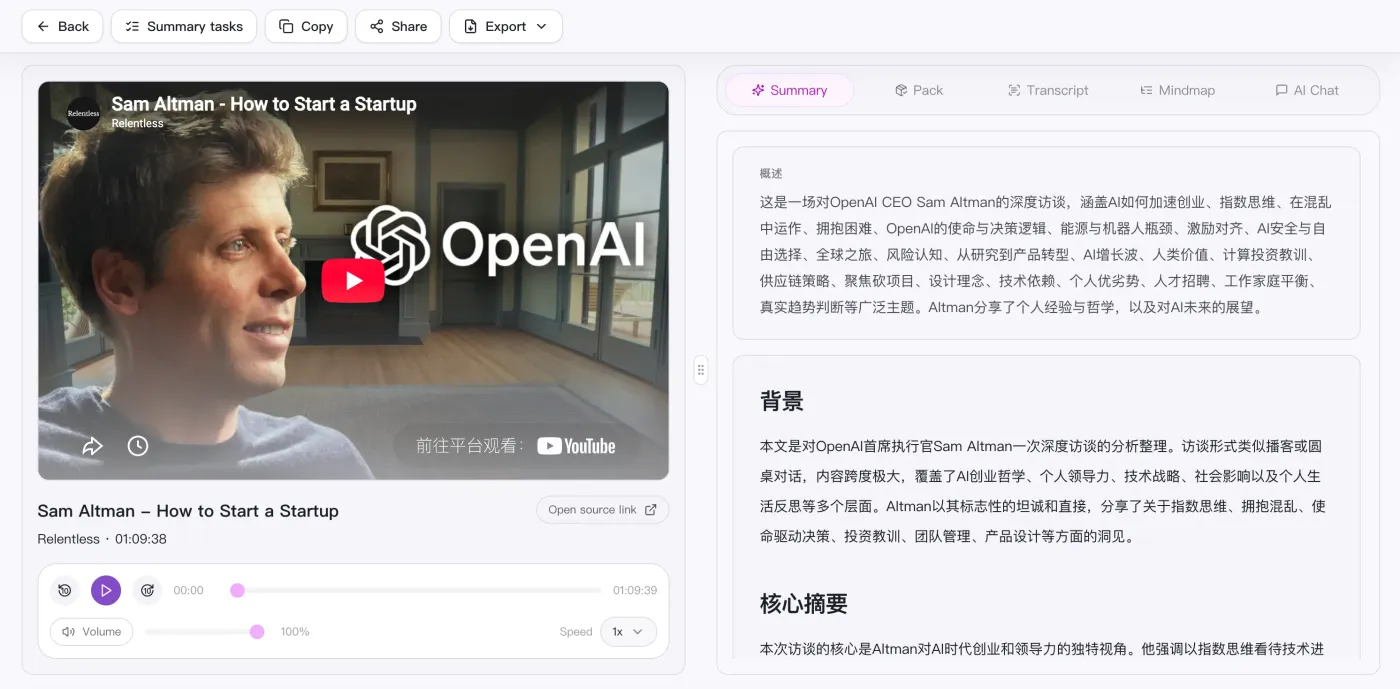
For classes, podcasts, and meeting replays, the result page gives you chapter highlights, a mindmap, and exportable materials you can review or share.
YouTube, TikTok, and BiliBili reuse the current media pipeline, podcast platforms use audio parsers, and local files enter the same summary pipeline directly.
Keep the full original-language transcript with usable timestamps instead of a generic summary blob.
Generate title, overview, chapter bullets, keywords, and action items for study, ops, and meeting follow-up.
The UI renders Mermaid SVG and falls back to a tree view if rendering fails, so the result page stays usable.
Review the result as study notes, a work brief or an action list. Export Markdown to keep the notes in your preferred editor.
Paste a public link or upload a local video / audio file.
Auto-transcribe and generate an overview, chapters, and mindmap.
Keep chatting with AI about the content to dig into points and actions.
Take the summary, mindmap, and action list to reuse anywhere.
Supported platforms
Side by side
Compare input methods and outputs for video notes, recordings, and meetings.
| What matters | SnapVee | ScreenApp | Notta | NoteGPT |
|---|---|---|---|---|
| Getting started | Paste a public link or upload a file in the browser | Paste a video URL, upload a file, or record | Join a meeting or upload a recording | Paste a YouTube link online or use the extension |
| Best input | Long videos, podcasts and local audio or video | Public video links, uploaded files, and recordings | Live meetings and voice notes | YouTube videos above all |
| What you get | Overview, timestamped chapters, key points, Mermaid mindmap, Markdown | Transcripts, summaries, and highlights | Transcript and meeting minutes | Transcripts, summaries, and mindmaps |
| Digging deeper | Keep asking the AI about the full text, switch output language | Ask about the recording | Search across past meetings | Ask about the video |
| After the summary | Subtitles, convert, breakdown, social formatting — same place | Share the recording back | Sync notes to team tools | Export the note |
ScreenApp and NoteGPT input options checked against their official pages on September 12, 2026. This is a workflow overview, not an exhaustive feature or plan comparison.ScreenAppNoteGPT
You have the notes. Now what?
Same account, same source — export subtitles, break down why it worked, convert the file, lay it out for social. No tool switching.
Pro shows download points and credits separately. Downloads spend points; summaries and subtitles convert video minutes into credit spend.
Billed yearly at $95.88
Billed yearly at $167.88
Billed yearly at $395.88
"Unlimited downloads" is for normal personal use; we may throttle scripted or abnormal bulk downloading.
Can't find an answer? Reach out to our support team anytime.
Start with a public link. The current focus is making the summary, reading, and export flow solid before anything else.